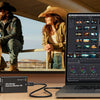




What is Vizrt NewTek NDI?
What Is NDI? The Complete Guide to Network Device Interface for Live Production (2026)
Everything you need to know about NDI — how it works, which version is right for your workflow, how to set it up, and which NDI-ready cameras, converters, encoders, and switchers deliver the best results today.
The broadcast industry has been talking about IP video for two decades. NDI — Network Device Interface — is the protocol that actually made it practical for everyone from tier-one broadcasters to a church AV volunteer running a single GigE cable to a camera. Developed by NewTek (now part of Vizrt Group) and first released in 2015, NDI lets any NDI-enabled device — cameras, switchers, graphics systems, capture cards, computers — discover each other automatically on a standard local area network and share broadcast-quality video with remarkably low latency and no proprietary hardware required.
If you've been handed a budget for an IP production upgrade, or you're simply trying to understand why every PTZ camera spec sheet now mentions NDI|HX3, this guide covers everything: the technology behind NDI, every version from 1.0 through 5.6, the difference between Full NDI and NDI|HX, network requirements, setup best practices, common pitfalls, and a curated look at the NDI cameras, converters, encoders, decoders, and switchers available at Coremicro today.
What Is NDI and How Does It Work?
NDI is an open, royalty-free software specification — not a physical cable standard like HDMI or SDI. It runs on top of standard TCP/IP networking and uses multicast DNS (mDNS / Bonjour) to let every NDI source on a network advertise itself automatically. When you plug an NDI-capable camera into the same switch as your vMix machine, TriCaster, or OBS instance, the camera shows up as a source automatically — no IP address entry, no manual routing.
Under the hood, NDI uses a proprietary lossy codec optimized for very high quality at moderate bit rates. On a gigabit LAN, a single 1080p60 stream typically consumes around 100–150 Mbit/s (Full NDI), meaning a single GigE uplink comfortably handles seven simultaneous 1080p60 sources. 4K60 streams run at around 250–400 Mbit/s, so a 10GbE network becomes advisable for multi-camera 4K environments. This efficiency is why the protocol requires approximately 90% less bandwidth than uncompressed SMPTE 2110 at equivalent 4K resolution.
NDI is more than a transport protocol. It is a full production infrastructure that includes:
- Auto-discovery via mDNS — sources appear in any NDI-aware application automatically within the same subnet.
- Tally signaling — cameras receive program/preview tally from the switcher over the same network connection, eliminating separate tally cable runs.
- PTZ control — standard PTZ pan, tilt, zoom, focus, and preset recall commands are transmitted back to cameras over the NDI connection.
- Bidirectional metadata — arbitrary XML metadata can accompany every frame, enabling use cases like timecode distribution, scripted lighting control, and live entertainment cue triggers.
- Multi-unicast and multicast — sources can serve an unlimited number of destinations; multicast mode reduces bandwidth when many receivers consume the same stream.
- Audio — up to 16 channels of floating-point audio (and beyond in newer SDKs) are embedded in each stream alongside video.

NDI Discovery Modes: LAN, Access, and Discovery Server
By default, NDI uses mDNS and operates within a single subnet. For larger or more complex facilities, two additional discovery modes extend NDI's reach:
- NDI Access — manually enter the IP address of a machine on another subnet. That machine's sources become visible across the network boundary. Useful for smaller multi-subnet facilities or remote offices.
- NDI Discovery Server — a dedicated server (or cloud instance) coordinates all NDI source registration and discovery across subnets without relying on mDNS. This is the recommended approach for large facilities, universities, and multi-campus deployments. NDI 4.0 formalized this capability; NDI 5 added redundant Discovery Server support for failover resilience.
Pro tip: Most GigE switches block mDNS traffic between VLANs by default. If your NDI cameras and your production computer are on different VLANs, configure your switch to either pass mDNS or set up an NDI Discovery Server so sources remain visible across the network boundary. Netgear's AV Line M4250 NDI-managed switches are purpose-built to handle this correctly out of the box.
NDI Version History: From 1.0 to 5.6 (2015–2026)
NDI has evolved significantly since launch. Understanding the version history helps explain why some devices support features others don't, and what your NDI Tools installation actually unlocks.
NewTek publicly launches NDI at the NAB Show. The core protocol enables automatic discovery and transport of high-quality 1080p video over GigE. The free NDI Tools Pack is released alongside the SDK.
NDI Access mode added, enabling source discovery across subnets. Magewell integrates NDI into their PCIe and USB capture devices, marking a major expansion of the ecosystem.
Multicast support is introduced alongside the first version of NDI|HX — a compressed, lower-bandwidth flavor using H.264 hardware encoding, designed for wireless, remote, and large-scale networks with constrained bandwidth. PTZ camera support for H.264-equipped cameras is also introduced.
Microsoft adds NDI support to Skype for Content Creators. EVS and Avid announce NDI integration. The ecosystem reaches a critical mass of major broadcast names.
Multi-TCP transport mode leverages hardware TCP acceleration in silicon for lower-spec processors. NDI Discovery Server formalized for cross-subnet enterprise deployments. Revolutionary multi-camera recording enables synchronized 4K+ multi-cam captures. 16-bit video path and expanded color format support added. Reliability, quality, and bit-rate efficiency all improved.
Reliable UDP (rUDP) transmission improves performance over congested networks. Redundant Discovery Server support for failover. New NDI Tools: NDI Bridge for secure WAN connections, NDI Remote for camera monitoring over the internet, NDI Audio Direct, and Final Cut Pro X NDI output.
NDI Bridge upgraded to TLS 1.3 encryption for enterprise-grade security. Intel Arria-10 and Quartus FPGA chipset support broadens hardware integration. Alpha channel support for FPGA-based NDI decoders enables advanced compositing. Configurable stream buffer in NDI Bridge allows fine-tuning of latency vs. quality. Note: all NDI Bridge nodes must run 5.6 or higher for compatibility.
Full NDI vs. NDI|HX vs. NDI|HX2 vs. NDI|HX3 — What's the Difference?
This is the question that generates the most confusion among buyers. The short answer: there are now four distinct flavors of NDI, each with different codec, latency, bandwidth, and quality tradeoffs. The right choice depends entirely on your network and workflow.
| Flavor | Codec | Typical Bandwidth | Latency | 4K Support | Best For |
|---|---|---|---|---|---|
| Full NDI | NDI (proprietary SpeedHQ-like) | 100–400 Mbit/s | <1 frame (sub-ms on LAN) | ✓ | Wired GigE/10GbE studios, production switchers, capture cards |
| NDI|HX (HX1) | H.264 | 8–20 Mbit/s | ~3–5 frames | Limited | Wireless, remote, large-scale networks; not suitable for IMAG |
| NDI|HX2 | H.265 (HEVC) | 10–25 Mbit/s | 2–4 frames | ✓ | Bandwidth-constrained wired/wireless with improved quality vs. HX1 |
| NDI|HX3 | H.265 (HEVC) + enhanced | 15–40 Mbit/s | 1–2 frames | ✓ 4K60 | Modern PTZ cameras, PoE deployments; current best-practice for new installations |
Full NDI is the gold standard for wired studio environments. It uses an intraframe codec — every frame is independently compressed, with no inter-frame prediction — which means frame-accurate switching, lossless (perceptually) quality, and sub-frame latency. The tradeoff is bandwidth: each 1080p60 Full NDI stream uses roughly 100–150 Mbit/s, which is why it requires a solid wired GigE infrastructure.
NDI|HX variants use long-GOP inter-frame codecs (H.264 or H.265), which dramatically reduce bandwidth at the cost of latency and switching precision. HX3 with H.265 is the current sweet spot for camera-to-switcher workflows over both wired and wireless links — modern PoE-capable PTZ cameras like the AIDA Imaging UHD-NDI3 line, Datavideo PTC-325 series, and PTZOptics Move 4K all support HX3. The latency of 1–2 frames is acceptable for most live production scenarios but still makes Full NDI preferable for live IMAG (image magnification) applications where latency is visible to audience members looking from the stage to the screen.
NDI|HX License Note: On some cameras and devices, NDI|HX requires a paid license activation to unlock. Check whether the product you're buying includes an NDI license in the purchase price or sells it separately. Products like OBSBOT cameras ship with an optional NDI license key to unlock NDI|HX functionality.
Network Requirements for NDI — Infrastructure That Actually Works
NDI does not require exotic infrastructure, but it does require good infrastructure. A consumer-grade Wi-Fi router is not an NDI switch. Cheap unmanaged switches with inadequate buffers will produce dropped frames. Here is what a reliable NDI environment looks like:
Wired GigE (Full NDI Standard Environment)
- Standard Cat5e or Cat6 cabling to every NDI source and destination
- Managed GigE switch with IGMP snooping enabled (critical for multicast performance) and large packet buffers — typically 1 MB or more per port
- One GigE uplink per camera/source works for up to 7 simultaneous 1080p60 Full NDI streams on a single trunk
- For 4K environments, use a 10GbE core switch with GigE access ports; each 4K60 Full NDI stream needs approximately 250–400 Mbit/s
- Avoid consumer switches — look at purpose-built AV-over-IP switches like the Netgear AV Line M4250 NDI Managed Switch which are optimized for NDI traffic patterns
Wireless NDI (NDI|HX Environments)
- Use NDI|HX2 or NDI|HX3 exclusively on wireless — Full NDI will saturate a Wi-Fi channel
- Wi-Fi 6 (802.11ax) access points with dedicated SSIDs for production video traffic
- Separate production traffic onto its own VLAN/SSID away from guest or office traffic
- Band-steer all NDI devices to 5 GHz minimum; 6 GHz (Wi-Fi 6E) is preferred for 4K HX3 sources
Jumbo Frames
Enabling jumbo frames (MTU 9000) on your switch and all NDI devices can improve throughput efficiency — particularly for Full NDI on 10GbE core networks. This must be configured consistently across all devices in the path; mismatched MTU settings cause more problems than jumbo frames solve.
How to Set Up an NDI Workflow: Step-by-Step
Download and Install NDI Tools
Go to ndi.video/tools and download the latest NDI Tools Pack for your OS (Windows or macOS). This installs NDI Studio Monitor, NDI Screen Capture, NDI Virtual Input, NDI Test Patterns, and NDI Access Manager — the essential utilities for discovering and monitoring NDI sources.
Connect Everything to the Same Switch
Connect your NDI cameras, your production PC, and your switcher/software machine to the same managed GigE switch. With mDNS auto-discovery, all NDI sources on the same subnet become visible immediately without any manual configuration.
Verify Discovery with NDI Studio Monitor
Open NDI Studio Monitor on your production computer and verify that camera sources appear in the source list. If they don't, open NDI Access Manager and manually add the IP address of the camera to troubleshoot cross-subnet or firewall issues. NDI uses TCP port ranges starting from 5960; ensure your firewall allows this traffic.
Add Sources to Your Production Software
In vMix, OBS (with NDI plugin), Wirecast, TriCaster, or Resolve, add NDI inputs and select your discovered sources. Most modern production software presents discovered NDI sources in a dropdown — simply select the camera name and the stream appears. For PTZ control, configure the PTZ camera settings within your software to send control commands back over NDI.
Enable Tally (Optional but Recommended)
Many NDI PTZ cameras display tally lights driven directly by the switcher over NDI — red for program, green for preview. Enable tally output in your production software's camera settings. No separate tally cable or infrastructure is required: the tally signal travels back over the same Ethernet cable delivering the video.
For Cross-WAN Production: Use NDI Bridge
NDI 5.0 introduced NDI Bridge, which tunnels NDI streams securely over the internet using TLS 1.3 encryption (as of NDI 5.6). This enables remote contributors, guest locations, or distributed production setups to send and receive NDI video over WAN without a dedicated MPLS or leased-line circuit. All nodes must be on NDI 5.6 or later for the TLS 1.3 bridge to function.
NDI Use Cases: Who Uses NDI and How
Houses of Worship
NDI's plug-and-play discovery and single-cable installation make it the dominant protocol for church AV. NDI PTZ cameras connect over existing Ethernet runs with PoE power, tally, and PTZ control on the same cable.
Education & Universities
Campus IT departments can integrate NDI production into existing network infrastructure without broadcast-specific cabling. Lecture capture, live streaming to LMS platforms, and campus TV stations all benefit.
Corporate AV & Events
Hybrid meetings and townhalls use NDI to bridge room cameras, presentation laptops, and remote participants (via Skype/Teams NDI output) into a unified production feed for simultaneous in-room and streaming audiences.
Sports & Esports
Multiple production computers running at different resolutions can all appear as NDI sources in a central switcher. Esports venues run game capture PCs as NDI sources directly without additional capture hardware on the switcher side.
Broadcast & Remote Production
Remote production over NDI Bridge with TLS 1.3 allows distributed teams to share production-quality video over the internet without dedicated circuits. Combined with SRT for outside broadcast delivery, NDI-to-SRT gateways are increasingly common.
Live Entertainment
NDI's bidirectional metadata capability is used to synchronize scripted light shows and practical effects to specific video frames, enabling cue-triggered automation from the production switcher over standard Ethernet.
Best NDI PTZ Cameras Available at Coremicro (2026)
The most visible category of NDI products is PTZ cameras. The range today spans from compact PoE POV cameras under $500 to 4K 30x zoom broadcast cameras exceeding $12,000. Below is a selection of current models across key price and performance tiers available through Coremicro.
Entry-Level NDI PTZ Cameras
AIDA Imaging Full HD NDI HX IP Weatherproof Cylinder POV Camera
Compact weatherproof cylinder NDI|HX POV camera ideal for fixed-angle installations in houses of worship, education, and corporate settings. PoE powered.
AIDA Imaging FHD 120fps NDI|HX3 POV Camera
Full HD at 120fps over NDI|HX3 — the fastest NDI POV camera in AIDA's lineup. Ideal for sports, esports, and any application requiring slow-motion NDI capture.
AIDA Imaging HD3G-NDI-200 Full HD NDI|HX/IP/SRT/3G-SDI PoE Camera
Versatile PoE POV camera with NDI|HX, IP streaming, SRT, and 3G-SDI outputs simultaneously. A true multi-protocol workhorse for hybrid production environments.
Mid-Range NDI PTZ Cameras (1080p–4K)
PTZOptics Move 4K 20X NDI|HX PTZ Camera
4K PTZ with 20x optical zoom, NDI|HX, SDI, HDMI, and USB outputs. Auto-tracking and a proven platform for houses of worship and corporate AV alike.
AIDA Imaging 4K NDI|HX3, 12G-SDI & SFP+ Auto-Tracking PTZ Camera — 30x Zoom
The flagship AIDA PTZ: NDI|HX3 plus 12G-SDI and SFP+ fiber output, AI auto-tracking, and 30x optical zoom in a single broadcast-grade chassis.
DATAVIDEO 4K 3G-SDI/HDMI/NDI Auto Tracking PTZ Camera — 30x Zoom
Datavideo's full-featured auto-tracking 4K PTZ with NDI|HX, 3G-SDI, and HDMI outputs. Built for demanding live production environments requiring reliability and flexibility.
Professional/Broadcast NDI PTZ Cameras
Bolin R9-L420N Large Sensor 4K NDI PTZ Camera — 20x Zoom
Large sensor 4K PTZ with Full NDI High Bandwidth and NDI|HX3, dual 12G-SDI outputs, and professional image science. Designed for broadcast environments where image quality cannot be compromised.
Panasonic AW-UR100 4K Outdoor PTZ Camera with Fiber, SRT & NDI Output
Panasonic's broadcast-grade outdoor 4K PTZ with NDI, SRT, and fiber connectivity. Built for permanent outdoor installations at stadiums, houses of worship, and government facilities.
Panasonic AW-UE30 PTZ Camera White 4K 20x Zoom with PoE+ and NDI®|HX
Compact 4K PTZ with NDI|HX, PoE+, HDMI, and IP streaming. An excellent value point for fixed-installation worship and corporate AV where a Panasonic camera platform is preferred.
NDI Converters and Encoders: Bringing Existing Gear Into an NDI Workflow
You don't need to replace every camera to adopt NDI. NDI converters take SDI or HDMI signals from existing cameras, signal processors, or presentation computers and deliver them to your network as NDI streams. Similarly, NDI decoders convert NDI streams back to SDI or HDMI for monitors, traditional program outputs, or legacy infrastructure.
Entry-Level NDI Encoders and Decoders
Kiloview E1 SDI to NDI|HX Encoder
Affordable 3G-SDI to NDI|HX encoder in a compact form factor. The most cost-effective way to bring an existing SDI camera into an NDI workflow.
Kiloview E2-NDI HDMI to NDI|HX Encoder
HDMI to NDI|HX encoder for laptops, game consoles, broadcast cameras with HDMI, or any HDMI source. Simple and reliable for corporate AV and education environments.
Magewell Pro Convert HDMI TX 1-Channel NDI Encoder
Magewell's compact, extremely reliable HDMI to Full NDI encoder. Supports NDI, NDI|HX, NDI|HX2 simultaneously with rock-solid driver quality and remote management.
Professional Bi-Directional NDI Converters
Kiloview N40 4Kp60 UHD HDMI–NDI Bi-Directional Converter
Bidirectional 4K60 HDMI/NDI conversion — operates as encoder or decoder in the same unit. Ideal for monitor walls, confidence monitors, and any location requiring flexible signal direction.
Kiloview N30 12G-SDI/NDI Bi-Directional Converter
12G-SDI bidirectional NDI converter supporting 4K60 over 12G-SDI. Connects broadcast-grade SDI infrastructure to modern NDI production environments in either direction.
BirdDog 4K HDMI 2.0 NDI Encoder/Decoder
BirdDog's polished HDMI 2.0 Full NDI encoder/decoder. Supports Full NDI and NDI|HX with BirdDog's trusted reliability and the BirdDog Central management platform.
Broadcast-Grade NDI Converters
Vizrt Connect Solo HDMI 4K to NDI I/O Converter
Vizrt's professional 4K HDMI to Full NDI converter with I/O capability. Purpose-built for TriCaster and NDI-native workflows; the most seamless converter in a Vizrt-centric environment.
Vizrt Connect Solo 12G SDI to NDI I/O Converter
Professional 12G-SDI to Full NDI bidirectional converter from Vizrt. Bridges legacy 12G SDI broadcast infrastructure directly to NDI production pipelines.
AJA Bridge NDI 3G HD/4K to NDI BiDirectional Multi-Channel Converter
AJA's multi-channel bidirectional NDI bridge. Converts multiple simultaneous SDI and HDMI signals to/from NDI in a single unit — the enterprise-grade NDI gateway for facilities with substantial existing SDI infrastructure.
NDI Encoding Cards for Rack Systems
Kiloview RE-3 4K Multi-Interface NDI Encoding Card
PCIe NDI encoding card for rackmount workstations. Supports 4K with multiple interface options — an efficient solution for rack-based NDI encode installations.
BirdDog openGear OG4 4-Channel NDI Encoder/Decoder
4-channel NDI encoder/decoder in the openGear modular form factor. Designed for facilities already using openGear frames — insert NDI capability directly into existing broadcast infrastructure.
Bolin Technology EG40N NDI to 12G-SDI/HDMI 2.0 Decoder
Professional NDI to 12G-SDI and HDMI 2.0 decoder. Ideal for feeding NDI network sources into traditional broadcast monitors, routers, and SDI-based program output chains.
NDI-Native Switchers and Production Systems
NDI's biggest productivity advantage in a switcher is the elimination of video routing matrix infrastructure. An NDI-native switcher accepts NDI sources directly from the network — up to dozens simultaneously on modern systems — without dedicated SDI or HDMI input cards for each source.
RGBlink TAO 1pro HDMI/USB/NDI Video Switcher
Compact entry-level switcher with native NDI inputs alongside HDMI and USB. A cost-effective starting point for small productions adopting NDI for the first time.
Kiloview CUBE X1 NDI Core Switcher
Purpose-built NDI core switcher designed around NDI|HX sources. Clean NDI-first architecture for productions that have fully committed to IP video workflows.
Panasonic AV-HLC100 NDI Live Streaming Production Switcher and PTZ Control
Panasonic's NDI-enabled live production switcher with integrated PTZ camera control. Designed for houses of worship, corporate AV, and education environments running Panasonic PTZ cameras.
Vizrt TriCaster Vizion Tower — 44 NDI Inputs + 8 SDI I/O
The TriCaster platform that defined NDI production. 44 NDI inputs with 8 SDI I/O for hybrid SDI/NDI environments. The production system of choice for broadcast, sports, and large institutional AV.
DATAVIDEO iCast 10NDI MK II 4-Channel 1080p All-in-One Streaming Switcher
All-in-one 4-channel NDI switcher with built-in streaming encoder and recording. A compelling single-box solution for worship AV, corporate events, and educational streaming.
Vizrt TriCaster Mini X NDI Power Bundle
The compact, portable TriCaster with native NDI inputs bundled with key accessories. Ideal for houses of worship and institutions that need TriCaster production capability in a smaller form factor.
NDI Players, Multiview, and Monitoring Tools
Beyond cameras and switchers, the NDI ecosystem includes a growing category of software and hardware tools for monitoring, multiview display walls, and NDI playback.
BirdDog PLAY 4K NDI Player
Hardware NDI player that decodes and outputs 4K NDI streams to any HDMI display. Turn any screen into an NDI monitor without a full computer.
BirdDog VideoWall Software Bundle with 4x PLAY 4K NDI Player
BirdDog PLAY units bundled with VideoWall software for multi-display NDI monitoring and digital signage. Scale from 4 to 9 screens with the 9x bundle.
BirdDog NDI Multiview PRO License
Software license for BirdDog's NDI Multiview PRO — create flexible multi-source NDI monitoring layouts on any screen without dedicated hardware multiviewers.
NDI and SRT: Complementary Protocols for Different Scenarios
A common point of confusion in modern live production is where NDI ends and SRT begins. They solve different problems and are increasingly used together in the same production chain.
NDI is a LAN protocol. It is optimized for low-latency, high-quality video transport within a facility over a managed Ethernet network. Its codec is intraframe (full NDI) or short-GOP (HX variants), it uses TCP or reliable UDP, and it is not designed for internet transport — latency spikes and packet loss on public internet connections are fundamentally incompatible with NDI's timing assumptions.
SRT (Secure Reliable Transport) is a WAN protocol. It uses adaptive bitrate, ARQ (automatic repeat request) for reliability, and AES encryption for security — all designed for the unpredictable conditions of internet video delivery. SRT handles the long-haul contribution path; NDI handles the local production environment.
The practical workflow that has become standard in modern live production is: cameras → NDI (local LAN) → NDI-native production switcher → SRT encoder → internet → SRT receiver → streaming platform or remote production hub. Several devices in Coremicro's catalog, like the AIDA HD3G-NDI-200 and Kiloview E1-S-NDI, output both NDI and SRT simultaneously, enabling hybrid local/remote workflows from a single camera without additional devices.
For a deep dive into SRT, read our Complete Guide to SRT Protocol.
Common NDI Mistakes and How to Avoid Them
- Using consumer switches: Unmanaged or consumer-grade switches frequently drop NDI frames under load due to small packet buffers. Always use a managed switch with large buffers and IGMP snooping enabled.
- Confusing NDI|HX3 with Full NDI capabilities: NDI|HX3 is significantly improved over HX1, but it is still an inter-frame codec. It is not appropriate for frame-accurate switching or live IMAG where latency matters to the audience.
- Ignoring cross-subnet discovery: mDNS does not cross VLANs or subnets by default. If your cameras and production computer are on different network segments, configure NDI Access or deploy an NDI Discovery Server.
- Overloading a single GigE uplink: Seven 1080p60 Full NDI streams fit comfortably on GigE. Eight or more — especially at 4K — require 10GbE uplinks or a dedicated NDI network segment.
- Not updating firmware: NDI version support is often unlocked or improved through firmware updates. Many cameras that shipped with NDI|HX1 have received HX3 support via firmware. Always check manufacturer firmware release notes.
- Mixing NDI Bridge versions below 5.6: All NDI Bridge nodes in a WAN setup must run NDI 5.6 or later to use TLS 1.3 encryption. A single older node in the chain forces the entire session to negotiate down.
- Buying NDI|HX without a license: Some products require a separate NDI license activation (sold by OBSBOT and others). Confirm whether NDI is included or must be activated before purchasing.
Frequently Asked Questions About NDI
Is NDI free to use?
The NDI SDK and NDI Tools Pack are free downloads from ndi.video. Integration into third-party hardware and software products is royalty-free for manufacturers who join the NDI ecosystem. Some specific applications — like NDI|HX activation on certain cameras — require a separate paid license, but the core NDI protocol and tools are free for end users.
Can NDI work over Wi-Fi?
Yes, but use NDI|HX2 or NDI|HX3, not Full NDI. Full NDI at 100–150 Mbit/s per stream will saturate a Wi-Fi channel. NDI|HX3 at 15–40 Mbit/s is practical on Wi-Fi 6 or Wi-Fi 6E access points on dedicated SSIDs.
What is NDI Bridge and when do I need it?
NDI Bridge is a software tool (included in NDI Tools 5.0+) that tunnels NDI streams securely over the public internet using TLS 1.3 encryption. You need it when connecting NDI sources between different buildings, campuses, or remote locations that are not on the same LAN. All nodes must run NDI 5.6 or later for TLS 1.3 compatibility.
Does NDI support 4K?
Yes. Full NDI supports 4K and beyond; NDI|HX2 and NDI|HX3 both support 4K60. NDI|HX1 (H.264) has limited 4K support. For 4K Full NDI, plan for 10GbE core network infrastructure; 4K NDI|HX3 is practical over GigE.
What software supports NDI?
NDI is supported natively by vMix, Vizrt TriCaster, Wirecast, NewBlue Titler, Viz Engine, Resolume, Millumin, PlaybackPro, and many others. OBS supports NDI via a widely-used free plugin. Microsoft Teams, Zoom, and Skype for Content Creators all support NDI output, making any video call an NDI source in your production software.
How many NDI sources can I run at once?
On a GigE network, you can comfortably run 7 simultaneous 1080p60 Full NDI streams on a single gigabit link. NDI|HX3 sources are far lighter — dozens are practical on a single GigE switch. The only real limits are network bandwidth and the processing capability of your production computer or hardware switcher.
What's the difference between NDI and SDI?
SDI (Serial Digital Interface) is a point-to-point physical cable standard — one cable carries one signal between one source and one destination, with dedicated coaxial infrastructure. NDI is a network protocol that runs over standard Ethernet — one cable (or switch port) can carry many simultaneous video streams in both directions, with automatic discovery, embedded control, and zero routing matrix hardware required. SDI remains preferable for ultra-low-latency (<1 frame) monitor-to-monitor connections; NDI excels at multi-source, flexible production environments where rerunning coax is impractical or cost-prohibitive.
Conclusion: NDI in 2026 Is the Foundation of Modern Live Production
NDI has moved from an interesting protocol to the underpinning infrastructure of live video production at every scale. A house of worship with a single PoE PTZ camera and a laptop running vMix and a broadcaster running 44 NDI sources into a TriCaster Vizion are both running the same protocol — the difference is only in the scale of the network and the hardware connected to it.
The current state of the art is NDI|HX3 for cameras and edge devices, Full NDI for wired studio workflows and production software, and NDI Bridge with TLS 1.3 for any cross-WAN contribution that needs to stay in the NDI ecosystem before hitting an SRT encoder for the final internet hop. If you're building a new facility or upgrading an existing one, designing around NDI from day one eliminates a significant proportion of the physical infrastructure cost and operational complexity of traditional SDI routing.
Coremicro carries a complete range of NDI cameras, converters, encoders, decoders, managed network switches, and production switchers — all the components you need to build or expand an NDI production environment, backed by expert pre-sales support from our team in Fremont, CA.
Explore our full range of NDI products, read our related guides on vMix capture cards and the SRT protocol, and reach out to Coremicro if you need help designing a system for your specific venue and workflow.
Ready to Build Your NDI Production System?
Browse Coremicro's full selection of NDI cameras, converters, switchers, and managed network hardware — all available with expert pre-sales support and fast shipping.
Shop All NDI Products Browse NDI Cameras