





DaVinci Resolve Training Books and Lesson Project Files Now Available

Blackmagic Design's official DaVinci Resolve training books are free PDF downloads, and each one comes with lesson project files and an online exam. There are six: a beginner's guide, plus separate guides for editing, color, Fairlight audio, Fusion visual effects and advanced Fusion work.
This page also streams the 20 free Blackmagic training videos for the edit, color, Fairlight and Fusion pages, about 17 hours in all. Jump to the training videos.
Updated November 2026

Which DaVinci Resolve training book should you start with?
New to Resolve? Start with The Beginner's Guide, since it touches every page of the app. If you already know the basics, pick the guide for the page you spend the most time on.
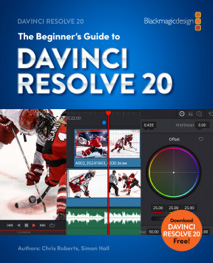
The Beginner's Guide to DaVinci Resolve
Written for new users and for anyone moving over from another editor. It covers editing, color grading, Fairlight audio and Fusion effects, one lesson set at a time.
- •Edit a project with standard editing tools.
- •Normalize audio levels and duck music under dialogue with the Ducker track effect.
- •Read video scopes to set contrast, color balance and saturation.
- •Build secondary corrections with Color Warper and Color Slice.
- •Set up projects, then sync and manage audio files.


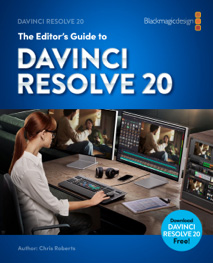
The Editor's Guide to DaVinci Resolve
Lessons on cutting interviews, dramatic scenes, documentaries and music videos. It also covers automatic transcription, speed changes, audio mixing and delivery for broadcast or streaming.
- •Editing and trimming techniques for different genres.
- •Organize large projects with smart bins and metadata.
- •Generate transcriptions automatically to start an edit faster.
- •Trim in real time with dynamic trimming.
- •Sync and edit multicamera footage.
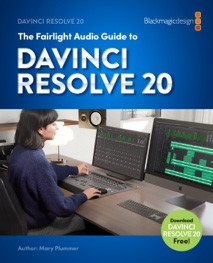
The Fairlight Audio Guide to DaVinci Resolve
Sound editing, sweetening, recording, mixing and mastering on the Fairlight page. The early lessons assume no audio background. The later ones go far enough for real audio post work.
- •Navigate and customize the Fairlight interface.
- •Use the Fairlight Sound Library.
- •Build and edit dialogue, music and sound effects tracks.
- •Record voiceover, ADR and Foley.
- •Stack, split and composite takes with audio track layers.
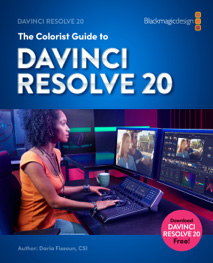
The Colorist Guide to DaVinci Resolve
Hands-on color correction and grading lessons. It starts with balancing shots on the primary tools and works up to node-based grades and roundtrip workflows.
- •Balance and match shots with the primary grading tools.
- •Analyze and correct images with scopes.
- •Track people and objects with windows and Magic Mask.
- •Move timelines between apps with XML roundtrips.
- •Build complex grades with nodes.
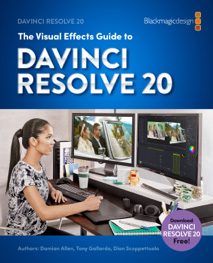
The Visual Effects Guide to DaVinci Resolve
Five lessons on node-based compositing in Fusion. You build the effects inside DaVinci Resolve, so there's no exporting large media to a separate compositing app and back.
- •Composite with nodes.
- •Combine the best parts of two takes with a split screen.
- •Track objects with the point tracker and planar tracker.
- •Composite layered PSD files.
- •Key green screen with the Delta Keyer and a clean plate.
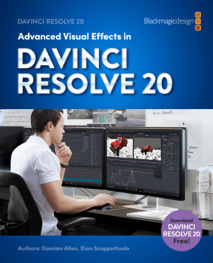
Advanced Visual Effects in DaVinci Resolve
The next step after the Visual Effects Guide. It covers importing 3D models, particle effects and placing 3D elements in live-action footage.
- •Add 3D particles to live-action shots.
- •Combine several keyers on difficult green screen shots.
- •Cut rotoscoping time with Magic Mask.
- •Work with 3D assets.
- •Set up 3D scenes with cameras, lights and depth of field.
Coming from another editor? The Beginner's Guide still works. It moves quickly through the basics, then gets into audio, titles and effects, with tips along the way for people making the switch.
Can you watch the DaVinci Resolve training videos for free?
Yes. Blackmagic Design posts its official DaVinci Resolve training videos on its YouTube channel, and all 20 play below. They run 19 minutes to just over an hour and a half. Each has a project file, so you can follow along with the same media the trainer uses.
Version note: Blackmagic recorded these videos in an earlier release of DaVinci Resolve, and the project files were made for that release. The core workflows still apply, but some menus and panels look different now, and newer tools like the Ducker track effect don't appear. The books above cover the current release.
Each video can also be downloaded as a ZIP file from Blackmagic Design for offline viewing.
Edit page training videos
Introduction to Editing, Part 1
Run time 1h 09m
Starts on the edit page and covers the tools and techniques for cutting a story together.
Introduction to Editing, Part 2
Run time 44m
Refines the rough cut with trim edits, match frame and shot replacement, then adds audio mixing, transitions, effects and titles.
Multicam Editing
Run time 32m
Syncs camera angles in the timeline, cuts a two-camera piece, then moves on to a larger multicam music performance.
Visual Effects in the Edit Page
Run time 30m
Traveling mattes, green screen keying and simple sign replacement, all without leaving the edit page.
Color page training videos
Introduction to Color
Run time 1h 33m
Primary and secondary grading tools on the color page, plus how to read scopes and balance shots.
Advanced Color
Run time 57m
Color management setup, node-based grade structure, RAW media and tracking with Magic Mask.
DaVinci Resolve Mini Panel
Run time 31m
How to navigate the color page and grade on the DaVinci Resolve Mini Panel without touching the mouse.
Delivering Content
Run time 19m
Deliver page presets, the render queue and exporting for online platforms.
Color Management
Run time 31m
Why color management matters in an editing workflow and how the color management options in DaVinci Resolve differ.
Fairlight audio training videos
Introduction to Audio
Run time 1h 28m
Fairlight page navigation, importing media, balancing levels, basic editing and dialogue repair with plugins.
Introduction to Sound Design
Run time 58m
Clip and track levels, building a spotting list with markers, organizing the sound library and adding effects.
Introduction to Mixing
Run time 1h 16m
Panning, EQ and dynamics, buses and automation, then getting the mix ready for delivery.
Recording VO and ADR
Run time 47m
Setting up a microphone, recording a voiceover track and replacing dialogue with the ADR tools.
Working with Audio Track Layers
Run time 30m
Editing several takes together with audio track layers to build one best performance.
Channel Mapping and Linked Groups
Run time 23m
Channel mapping and linked groups for projects with multichannel audio.
Dolby Atmos Integration
Run time 48m
Starts with a professionally produced demo project, then builds a Dolby Atmos mix with the Fairlight Immersive tools.
Fusion visual effects training videos
Introduction to Fusion
Run time 58m
The node-based interface on the Fusion page for compositing, tracking and keying.
Basic Compositing
Run time 59m
Combining separate takes into one shot and replacing a sky with the luma keyer.
Motion Graphics in Fusion
Run time 1h 08m
The Fusion 3D workspace: shapes, views and cameras, lights, and rendering 3D objects to 2D.
3D Compositing in Fusion
Run time 1h 14m
3D camera tracking to place new objects in a shot, plus painting out the ones you don't want.
Where to buy
Coremicro is an authorized Blackmagic Design dealer. The free version of DaVinci Resolve handles most of these lessons. Some tools in the advanced color and Fusion material, such as Magic Mask, need DaVinci Resolve Studio.
View DaVinci Resolve Studio-
Posted in
DaVinci Resolve Studio, DaVinci Resolve Studio 20

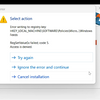

Downloading and extracting the very first lesson, I receive an error 0×80004005 Unspecified error: F005_08201556_C001 MOV File fails to copy.