




Fusion Studio vs DaVinci Resolve Studio 21: Full Feature Comparison

Fusion Studio vs DaVinci Resolve Studio comes down to 30 of the 304 rows on Blackmagic Design's comparison chart. The compositing tools match: same node graph, 3D workspace, particles, tracking, paint and text, and every keyer except Primatte 5. What Fusion Studio 21 adds is facility tooling, mainly unlimited network render nodes, Studio Player for shot review, a bin server, Avid Connect and canvases past 16K. You also don't have to pick one. A DaVinci Resolve Studio license activates Fusion Studio 17 and later, so a single purchase gets you both apps.
Applies to DaVinci Resolve Studio 21 and Fusion Studio 21, based on Blackmagic Design's US comparison page as of November 2026.

Which features are only in Fusion Studio 21?
Blackmagic marks 30 rows as missing or limited on the Fusion page in DaVinci Resolve Studio 21. Twenty-one of them are network rendering and Studio Player. The rest are one-offs.
| Feature | Fusion page in Resolve Studio 21 | Fusion Studio 21 |
|---|---|---|
| Maximum image size | 16K x 16K | Over 32K x 32K |
| Render one comp while you work on another | No | Yes |
| Avid Connect plug-in (Fusion from the Media Composer timeline) | No | Yes |
| Studio Player (12 playback and review functions) | No | Yes |
| Network rendering with unlimited free render nodes and a render manager (9 rows) | No | Yes |
| Remote render nodes that speed up local interactivity (2 rows) | No | Yes |
| Primatte 5 keyer | No | Yes |
| Bin server for sharing bin assets over the network | No | Yes |
| FFmpeg bridge for extra codecs (separate download) | No | Yes |
| WAV audio for timing and playback | No | Yes |
Full feature comparison, all 304 rows
This is every row on Blackmagic's chart, in the same categories, reworded into plain English. Differences are in red. Blackmagic lists two rows twice (opening several comps, and guides and markers), so they show up twice here as well.
| Feature | Resolve Studio 21 | Fusion Studio 21 |
|---|---|---|
| General | ||
| 2D and 3D compositing inside an animation environment | Yes | Yes |
| Mix footage of different resolutions, aspect ratios and formats in one project | Yes | Yes |
| Process footage of different bit depths at native depth in one flow graph | Yes | Yes |
| Interactive UI with real-time rendering | Yes | Yes |
| Render several formats and resolutions in one pass using multiple Saver nodes | Yes | Yes |
| Image size | 16K x 16K max | Over 32K x 32K |
| Floating point image support | Yes | Yes |
| Metal, CUDA and OpenCL GPU acceleration | Yes | Yes |
| Two-level proxy system | Yes | Yes |
| Open several comps at once | Yes | Yes |
| Save custom interface layouts | Yes | Yes |
| Separate LUT for each viewer | Yes | Yes |
| Dual display support | Yes | Yes |
| A/B split view to compare shots | Yes | Yes |
| Show time as frames, timecode or feet+frames | Yes | Yes |
| Avid Connect plug-in (use Fusion from the Media Composer timeline) | No | Yes |
| Node-based interface | ||
| Node-based flow graph for building composites | Yes | Yes |
| Branch and connect tools to multiple nodes | Yes | Yes |
| Mix footage with different resolutions, field orders, aspect ratios and formats | Yes | Yes |
| Open several comps at once | Yes | Yes |
| Copy and paste tools between comps | Yes | Yes |
| Group tools into collapsible sub-flows | Yes | Yes |
| Drag footage into the flow from the file browser | Yes | Yes |
| Add notes to any node or to the flow itself | Yes | Yes |
| Render one comp while working on another | No | Yes |
| Image thumbnails in the flow graph | Yes | Yes |
| Script debug console with breakpoints and multiple open scripts | Yes | Yes |
| VR | ||
| Oculus Rift and HTC Vive headset support | Windows only | Windows only |
| Panorama viewer for working without a headset | Yes | Yes |
| 90fps viewing without lag | Yes | Yes |
| Real-time viewing of 3D scenes | Yes | Yes |
| Live action VR playback | Yes | Yes |
| Stereo VR | Yes | Yes |
| Convert between VR image formats | Yes | Yes |
| VR paint and fix workflow | Yes | Yes |
| VR motion graphics and tiling | Yes | Yes |
| Stabilize live action VR footage | Yes | Yes |
| VR color correction | Yes | Yes |
| Animation tools | ||
| Display and edit several animation splines at once | Yes | Yes |
| Bezier or cubic animation curves | Yes | Yes |
| Scale, shape and stretch splines | Yes | Yes |
| Loop modes: ping-pong, relative and loop count | Yes | Yes |
| Keyframe markers as guides | Yes | Yes |
| Step-in and step-out keyframe modes | Yes | Yes |
| Guides, markers and snap points | Yes | Yes |
| Offset and scale timing on several selected keyframes | Yes | Yes |
| Global ease in and ease out | Yes | Yes |
| Shape box to deform and taper splines | Yes | Yes |
| Studio Player | ||
| Play any format Fusion reads, including EXR | No | Yes |
| Playback through Blackmagic DeckLink and UltraStudio hardware | No | Yes |
| Single-layer timeline that plays a list of shots | No | Yes |
| In and out trims per shot | No | Yes |
| Color format control so shots from different formats display consistently | No | Yes |
| Typed notes on each clip, version and project | No | Yes |
| Scratch track and per-clip audio | No | Yes |
| Several artists open the same project from different machines | No | Yes |
| Remote sync: other Studio Players follow a master for scrubbing and playback | No | Yes |
| Shot versions stored in the same project for comparison | No | Yes |
| Custom safe-area and crop guide overlays | No | Yes |
| Automation through the Fusion scripting engine | No | Yes |
| Timeline | ||
| Non-linear timeline for adjusting element timing | Yes | Yes |
| Trim and position several clips at once | Yes | Yes |
| Audio scrub and waveform in the timeline | Yes | Yes |
| Filter the timeline to show selected tools or groups | Yes | Yes |
| Guides, markers and snap points | Yes | Yes |
| Built-in spline viewer and editor | Yes | Yes |
| Spreadsheet view for editing animated parameters | Yes | Yes |
| Drag to reorder tools in the timeline | Yes | Yes |
| Color coding for tools and splines | Yes | Yes |
| Performance | ||
| GPU-accelerated 2D image processing | Yes | Yes |
| Multi-threaded rendering on every available CPU core | Yes | Yes |
| GPU-accelerated 3D workspace and rendering | Yes | Yes |
| GPU acceleration for heavy tools | Yes | Yes |
| Render and interactive speed scales with remote nodes | No | Yes |
| Built to handle very large files | Yes | Yes |
| File caching for local and network drives | Yes | Yes |
| Disk and RAM caching for immediate playback | Yes | Yes |
| Background cache manager, no setup needed | Yes | Yes |
| Each tool can keep its own cache | Yes | Yes |
| Remote render nodes speed up local interactivity | No | Yes |
| Automatic memory tuning | Yes | Yes |
| Cached images don't re-render | Yes | Yes |
| Cache any node's output to RAM or disk | Yes | Yes |
| Region of interest and domain of definition controls to speed processing | Yes | Yes |
| Infinite canvas keeps image areas outside the frame | Yes | Yes |
| 3D workspace | ||
| 3D compositing with lights, cameras and cast shadows | Yes | Yes |
| Import FBX and Alembic scenes with models, cameras, lights and rigs | Yes | Yes |
| Render scenes with millions of polygons and complex shading | Yes | Yes |
| GPU-based renderer | Yes | Yes |
| Import models from Maya, 3ds Max, Cinema 4D and other apps | Yes | Yes |
| Import 3D scenes with animation curves, stereo cameras, lights and layered materials | Yes | Yes |
| Relight with deep pixel data and reshading tools on the GPU renderer | Yes | Yes |
| GPU renderer outputs multiple layer types for later passes | Yes | Yes |
| GPU-accelerated ambient occlusion | Yes | Yes |
| Create geometry from primitives and 3D text | Yes | Yes |
| Bend, taper and warp geometry or object groups | Yes | Yes |
| Duplicate and replicate objects for crowds | Yes | Yes |
| Multiple renderers and scenes in one comp | Yes | Yes |
| Import tracked cameras from live action or 3D apps | Yes | Yes |
| Multi-channel support | ||
| Use extra channels in OpenEXR renders from 3D apps | Yes | Yes |
| Depth merge combines images by pixel depth | Yes | Yes |
| 3D Z-depth blur for depth of field | Yes | Yes |
| 3D shader relights objects from the normals channel | Yes | Yes |
| 3D fog based on pixel depth or an external Z-buffer | Yes | Yes |
| 3D texture for reflection maps and replacement textures | Yes | Yes |
| Mask any tool with object and material IDs | Yes | Yes |
| Use these tools with particles and grid warps, which also output extra channels | Yes | Yes |
| Multi-channel output: Z-buffer, normals, UV, world position and velocity vectors | Yes | Yes |
| Deep pixel compositing | ||
| Generate deep pixel data such as world position, normals and UV | Yes | Yes |
| Volumetric renderer with ray-cast self shadowing and variable density | Yes | Yes |
| World position pass integration with occlusion | Yes | Yes |
| Masking and volumetric atmospherics from the world position pass | Yes | Yes |
| GPU-accelerated for real-time interaction and rendering | Yes | Yes |
| Particles | ||
| 3D flow-based particle suite | Yes | Yes |
| OpenGL-accelerated particles | Yes | Yes |
| Bitmap, geometric or pixel particle styles | Yes | Yes |
| Control spin, size, velocity, angle, fade, blur and color over time | Yes | Yes |
| Physics forces: gravity, wind, friction, tangential, point and gradient | Yes | Yes |
| Drive modifiers with effectors and emitters from bitmaps, shapes or polylines | Yes | Yes |
| Flocking, turbulence, spawning and n-body attraction | Yes | Yes |
| N-Gon style for shaded geometric particles | Yes | Yes |
| Image Emitter turns each pixel into a particle | Yes | Yes |
| Change particle attributes with custom expressions | Yes | Yes |
| Depth of field blur on particles from Z position | Yes | Yes |
| Animate any particle parameter | Yes | Yes |
| Motion blur on all particle streams | Yes | Yes |
| Preset particle styles and brushes | Yes | Yes |
| Merge particle streams with pMerge | Yes | Yes |
| Z-buffer output per particle with depth blur | Yes | Yes |
| Change particle style on collisions and other events | Yes | Yes |
| Particles can be network rendered | Yes | Yes |
| Network rendering | ||
| Unlimited free render nodes | No | Yes |
| Render comps on remote CPUs across unlimited render nodes | No | Yes |
| Network-rendered previews and tool caches | No | Yes |
| Render manager | No | Yes |
| Assign render nodes to groups and submit to selected groups | No | Yes |
| Set render priorities | No | Yes |
| Network-rendered Flipbook previews and disk or RAM caches | No | Yes |
| Set frame ranges per comp in the queue without opening the file | No | Yes |
| Nodes that come online mid-render join the queue automatically | No | Yes |
| Layer blending | ||
| Standard blend modes such as screen, overlay, multiply and soft light | Yes | Yes |
| Additive and subtractive merge modes | Yes | Yes |
| Z-depth compositing | Yes | Yes |
| Burn-in overexposure on the foreground layer | Yes | Yes |
| SMPTE wipes, gradients or custom bitmaps for dissolves | Yes | Yes |
| Calculated motion blur on any animated tool | Yes | Yes |
| Paint | ||
| Vector-based paint | Yes | Yes |
| Hard, soft or bitmap brushes | Yes | Yes |
| Clone, emboss, smear, stamp and other paint styles | Yes | Yes |
| Non-destructive strokes and shapes | Yes | Yes |
| On-the-fly paint caching | Yes | Yes |
| Move, edit, animate and track individual strokes | Yes | Yes |
| Pressure-sensitive tablet support by pressure or velocity | Yes | Yes |
| Scalable brushes with fine softness control | Yes | Yes |
| Flood fill that works over time | Yes | Yes |
| Bezier and stroke wire removal tools | Yes | Yes |
| 2D and 3D text | ||
| Full control of font color, size, kerning and layout | Yes | Yes |
| TrueType, OpenType and PS1 fonts | Yes | Yes |
| Text along a spline path, frame or circle | Yes | Yes |
| Align text to frame, image or path, horizontally and vertically | Yes | Yes |
| Full Unicode support | Yes | Yes |
| Manual kerning and position per character | Yes | Yes |
| Mix fonts, colors, sizes and textures in one tool | Yes | Yes |
| 3D extruded text | Yes | Yes |
| Custom 3D bevels | Yes | Yes |
| Multiple fills, outlines and borders | Yes | Yes |
| Scramble, Timecode and Follower modifiers | Yes | Yes |
| Built-in type-on, roll and crawl animation | Yes | Yes |
| Separate transforms for layout, characters, words and shading | Yes | Yes |
| Shading, softness and glow per fill and outline | Yes | Yes |
| Map images and sequences onto text | Yes | Yes |
| Save text styles as library swatches | Yes | Yes |
| 3D text transforms for layout, character and shading | Yes | Yes |
| Tracking | ||
| Planar tracker | Yes | Yes |
| Planar stabilization | Yes | Yes |
| Planar transforms for roto | Yes | Yes |
| Camera tracker with 3D camera motion and point cloud | Yes | Yes |
| Unlimited track points in one tracker | Yes | Yes |
| Sub-pixel tracking precision | Yes | Yes |
| Corner pinning, perspective correction, stabilization and match moving in one tool | Yes | Yes |
| Adaptive pattern acquisition | Yes | Yes |
| Track forward and backward | Yes | Yes |
| Stabilize from any number of track points | Yes | Yes |
| Smooth camera motion while keeping intended pans and zooms | Yes | Yes |
| Automatic choice of best tracking channel | Yes | Yes |
| Manual rotation axis for stabilization | Yes | Yes |
| Drive any parameter, path or tool with track data | Yes | Yes |
| Publish and connect individual spline points | Yes | Yes |
| Generators and grain | ||
| Fast Noise generator | Yes | Yes |
| Mandelbrot fractal generator | Yes | Yes |
| Continuous and discontinuous noise | Yes | Yes |
| Detail and brightness maps for noise | Yes | Yes |
| Solid and gradient background generator | Yes | Yes |
| Gradients in RGB, HLS, HSV or LAB | Yes | Yes |
| Unlimited gradient color points | Yes | Yes |
| Animated gradient progression | Yes | Yes |
| Six gradient types including linear, radial and square | Yes | Yes |
| Static, repeat and ping-pong gradient modes | Yes | Yes |
| Day Sky generator by date and time | Yes | Yes |
| Plasma noise generator | Yes | Yes |
| Grain strength, size, softness and spacing | Yes | Yes |
| Per-channel grain response curves to match film stock | Yes | Yes |
| Color differences between grain channels | Yes | Yes |
| Random or seeded grain | Yes | Yes |
| Keying and matte tools | ||
| Delta Keyer with fine controls | Yes | Yes |
| Clean plate pre-keyer for uneven screen lighting | Yes | Yes |
| Primatte 5 keyer | No | Yes |
| Ultra Keyer for blue and green screen | Yes | Yes |
| Chroma and luma keyers | Yes | Yes |
| Five spill suppression modes | Yes | Yes |
| Animated garbage mattes | Yes | Yes |
| Edge gamma and fringe color correction | Yes | Yes |
| Matte thresholding for semi-transparent areas | Yes | Yes |
| Matte blur, gamma and contrast after the key | Yes | Yes |
| Image processing filters | ||
| Lens defocus with blooming and n-gon shapes | Yes | Yes |
| Lens flare hotspots with occlusion and aberration | Yes | Yes |
| Glow, soft glow, glow under and glow threshold | Yes | Yes |
| Pre-masks for glow, highlight, DVE and other tools | Yes | Yes |
| Directional, motion and zoom blur | Yes | Yes |
| Erode and dilate filters | Yes | Yes |
| Sharpen and unsharp mask | Yes | Yes |
| Sobel and Laplacian edge detection | Yes | Yes |
| Custom convolution kernels | Yes | Yes |
| Transforms and warping | ||
| Area-sampled transforms for clean anti-aliasing | Yes | Yes |
| Concatenated transforms for speed and quality | Yes | Yes |
| Displace, dent and vortex distortions | Yes | Yes |
| Eight drip deformations | Yes | Yes |
| Perspective positioning and correction | Yes | Yes |
| Corner pinning for sign replacement | Yes | Yes |
| Grid warp over a full image or region | Yes | Yes |
| Separate source and destination grids for morphs | Yes | Yes |
| Bezier and smoothing control per grid point | Yes | Yes |
| Magnet or static point selection | Yes | Yes |
| Retiming | ||
| Optical flow retiming | Yes | Yes |
| Linear and non-linear retiming | Yes | Yes |
| Animatable frame interpolation and blending | Yes | Yes |
| Rotoscoping and masking | ||
| Planar-tracked roto | Yes | Yes |
| Masks from Bezier splines, B-splines, paint or bitmaps | Yes | Yes |
| Magic wand mask that samples color over time | Yes | Yes |
| Non-uniform feathering on spline shapes | Yes | Yes |
| Roto Assist edge finding | Yes | Yes |
| Onion skinning for roto shapes | Yes | Yes |
| Controllable mask motion blur | Yes | Yes |
| Limit any tool to a masked region | Yes | Yes |
| Reorder, copy, paste and cut masks | Yes | Yes |
| Color tools | ||
| Hue, saturation, tint, gamma, gain, contrast and brightness by channel or range | Yes | Yes |
| Direct levels and histogram adjustment | Yes | Yes |
| Color Curves tool | Yes | Yes |
| Custom shadow, midtone and highlight ranges | Yes | Yes |
| Color correction by channel or region | Yes | Yes |
| Color match to a reference image | Yes | Yes |
| Channel Booleans for math operations between channels | Yes | Yes |
| Color space processing | ||
| Integer and floating point HDR processing | Yes | Yes |
| Out-of-range values preserved through color changes | Yes | Yes |
| ACES, Rec. 709, Rec. 2020 and Wide Gamut color spaces | Yes | Yes |
| Linear light and OpenColorIO | Yes | Yes |
| Monitor calibration | Yes | Yes |
| Waveform, vectorscope and histogram | Yes | Yes |
| LUT creation and analysis tools | Yes | Yes |
| 3D LUTs | Yes | Yes |
| Work in RGB, YUV, CMY and other color spaces | Yes | Yes |
| Use log images such as Cineon without converting to linear | Yes | Yes |
| Optical flow | ||
| Optical flow forward and back vectors | Yes | Yes |
| Speed changes with optical flow | Yes | Yes |
| RepairFrame rebuilds a frame from its neighbors | Yes | Yes |
| SmoothMotion for color or aux channels | Yes | Yes |
| Tween between two non-sequential images | Yes | Yes |
| Stereoscopic 3D | ||
| 3D stereo cameras with eye separation, convergence and toe-in or parallel modes | Yes | Yes |
| Disparity map generation for both eyes | Yes | Yes |
| New Eye tool for creating left or right images | Yes | Yes |
| Stereo Align for vertical alignment, convergence and eye separation | Yes | Yes |
| DisparityToZ and ZToDisparity conversion | Yes | Yes |
| Global Align for stereo pairs without warping | Yes | Yes |
| Stereo Stack and Unstack | Yes | Yes |
| Anaglyph, side-by-side, stacked and interlaced stereo viewing | Yes | Yes |
| Third-party plug-ins | ||
| OpenFX plug-ins, including GenArts and RE:Vision Effects | Yes | Yes |
| Native SDK for 3D and image processing tools | Yes | Yes |
| Bins and media | ||
| Bins for tools, settings, macros, comps and footage | Yes | Yes |
| Bin server for sharing bins over the network | No | Yes |
| Carry metadata through the pipeline | Yes | Yes |
| Read clip metadata | Yes | Yes |
| Copy and add custom metadata | Yes | Yes |
| File formats | ||
| MXF, DNxHQ and DNxHR | Yes | Yes |
| FFmpeg bridge for extra codecs (separate download) | No | Yes |
| EXR 2.2 | Yes | Yes |
| Blackmagic cinema cameras and CinemaDNG | Yes | Yes |
| 30+ image formats including OpenEXR, DPX, TIFF, JPEG, PSD and QuickTime | Yes | Yes |
| SVG vector files | Yes | Yes |
| ARRI Raw, R3D, Canon RMF raw and Phantom Cine | Yes | Yes |
| 3:2 pulldown and pull-up with automatic detection | Yes | Yes |
| Field processing for NTSC, PAL and HD with field order control | Yes | Yes |
| Clip lists with multiple files in one Loader | Yes | Yes |
| IFL image file lists | Yes | Yes |
| Full-res and proxy clips together, switchable on the fly | Yes | Yes |
| WAV audio for timing and playback | No | Yes |
| Audio waveform in the timeline | Yes | Yes |
| Scripting and extensibility | ||
| Lua and Python scripting | Yes | Yes |
| Integrated development environment | Yes | Yes |
| Pre-built workflow scripts | Yes | Yes |
| Run scripts from local or remote machines | Yes | Yes |
| Launch and control external tools from Fusion | Yes | Yes |
| Macros that combine tools into custom tools | Yes | Yes |
| Fuses toolkit with built-in compiler | Yes | Yes |
| Just-in-time compiled image processing tools | Yes | Yes |
What does Studio Player do?
Studio Player is the review tool inside Fusion Studio. Load shots onto a single-layer timeline, trim each one, and play any format Fusion reads, EXR included. Clips, versions and the project itself can all carry typed notes. Every shot version stays in the same project, so you can flip back to last week's render. There's a scratch audio track and safe-area overlays too.
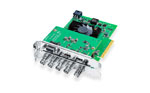
Two things matter most in a facility. Playback goes out through a DeckLink card or UltraStudio box, so the client watches a real video feed instead of your GUI. And remote sync lets other Studio Players follow a master, whether that seat is in the next room or another city. None of this exists on the Fusion page in Resolve.
How does Fusion Studio network rendering work?
Fusion Studio puts no limit on render nodes and doesn't charge for them. Spare machines become render nodes, and the render manager queues comps to them. In the queue you can:
- •assign machines to render groups and send a comp to a chosen group
- •set priorities when several artists submit at once
- •pick the frame range for each comp without opening the saved file
- •network render Flipbook previews and disk or RAM caches
Nodes that come online mid-render join the queue on their own. Remote nodes can also speed up your own workstation while you work, which is what the two Performance rows on the chart cover.
What do the two versions share?
Everything else. 274 of the 304 rows say yes in both columns, so the compositing itself is the same whether you open the Fusion page in Resolve or launch Fusion Studio. Both have:
- •the node-based flow graph, with sub-flow groups, notes on nodes and multiple comps open at once
- •the 3D workspace, 3D particles and 2D/3D text tools
- •deep pixel compositing using the extra channels in OpenEXR renders
- •tracking, paint, rotoscoping, optical flow and retiming
- •stereoscopic 3D and VR tools
- •Metal, CUDA and OpenCL GPU acceleration
- •Lua and Python scripting, plus third-party OpenFX plug-ins
Keying matches too, except Primatte 5. Oculus Rift and HTC Vive headset support is Windows only in both.
Does a DaVinci Resolve Studio license activate Fusion Studio?
Yes, from Fusion Studio 17 on. Blackmagic's DaVinci Resolve product manager and support staff have confirmed it on the official Blackmagic forum, and both apps can run on one activation. Download Fusion Studio from Blackmagic's support page and enter the key you already have.
A key covers two computers. A dongle covers whichever one it's plugged into. Our post on DaVinci Resolve Studio dongle or activation key compares the two.
Note: Fusion Studio 16 and earlier only accept a dongle. A Resolve Studio activation key won't activate those versions, so stay on 17 or newer if you activate by key.
So the decision is really about whether you'll use any of the 30 extras. If you own Resolve Studio, you already have them.
When does standalone Fusion Studio make sense?
Open Fusion Studio when a job needs one of those 30 rows. That covers a handful of situations:
- •splitting particle sims or long 3D comps across a few spare PCs, with free render nodes
- •reviewing shots with a client on a monitor fed by a DeckLink card or UltraStudio, with notes on each version
- •working from an Avid bay, where Avid Connect opens Fusion from the Media Composer timeline
- •canvases bigger than 16K x 16K, such as dome masters or wide LED wall content
- •several artists pulling from the same asset bins over the network through the bin server
When is the Fusion page inside Resolve enough?
For editors, the Fusion page is usually all you need. Titles, lower thirds, screen replacements and cleanup comps live on the edit timeline, so nothing gets exported and brought back in. And 16K x 16K is about twice the width of an 8K UHD frame.
A one-person shop also gets a simpler setup, with one project and one render queue. Your GPU matters more than which app you open, because both use the same GPU acceleration. Our DaVinci Resolve Studio GPU guide covers GPU and VRAM choices, and DaVinci Resolve 21 new features lists what changed in this release.
Which license should you buy?
Get the DaVinci Resolve Studio activation key. Coremicro sells it for $295, and it activates Resolve Studio and Fusion Studio on two computers. Choose the DaVinci Resolve Studio USB dongle if you move between machines or need Fusion Studio 16. To send Studio Player to a client monitor, add a playback device such as the UltraStudio 4K Mini.


Where to buy
Coremicro is an authorized Blackmagic Design dealer. One DaVinci Resolve Studio key covers Resolve Studio plus standalone Fusion Studio and its render nodes.
View DaVinci Resolve StudioBrowse the rest of the Blackmagic Design collection, or read how DaVinci Resolve free compares with DaVinci Resolve Studio.
Fusion Studio vs DaVinci Resolve Studio FAQ
Do I need to buy Fusion Studio if I already own DaVinci Resolve Studio?
No. A DaVinci Resolve Studio key or dongle activates Fusion Studio 17 and later. Download Fusion Studio from Blackmagic's support page and use the same license.
Are Fusion Studio render nodes free?
Yes, and there's no limit on how many. The Fusion page in Resolve Studio can't network render at all.
Can Fusion Studio and DaVinci Resolve Studio run on the same computer?
Yes. They install side by side and run from the same Resolve Studio activation.
Is the Fusion page in DaVinci Resolve limited compared with Fusion Studio?
Only on 30 of 304 rows. In Resolve Studio 21 the Fusion page tops out at 16K x 16K and has no network rendering, Studio Player, bin server, Primatte 5 or Avid Connect. The compositing tools are the same.
-
Posted in
Blackmagic Design, DaVinci Resolve Studio, Fusion