




TriCaster Mini S Software Updates 2025–2026: Patch Notes, Driver Versions & Supported Capture Cards
TriCaster Mini S Software Updates: What's New, Driver Versions & Supported Capture Cards
A complete breakdown of every patch release from August 2025 through August 2026 — including supported AJA and Blackmagic capture cards, required driver versions, and best practices for keeping your TriCaster Mini S production-ready.
Staying current on TriCaster Mini S software updates is not optional — it is how you protect your live productions. Vizrt's patch releases bring critical bug fixes, new hardware support, and quality-of-life improvements that keep your system running reliably whether you are streaming a corporate event, broadcasting a house of worship service, or producing a live news program.
This guide covers every public release from 8-4-250303 (March 3, 2025) through 8-5-260812 (August 12, 2026), highlights the driver versions you must have installed, and explains which Blackmagic Design and AJA capture cards are officially supported on the Mini S platform.
Important: If you are installing a multi-part update, download ALL parts before beginning the installation. Starting with an incomplete set will break your session.
Current Release: 8-5-260812 (August 12, 2026)
What's New in This Release
This is the most feature-rich release of the year, adding two major third-party integrations and an important audio workflow improvement.
New Features:
- RossTalk Trigger support — TriCaster Mini S now responds to RossTalk commands, opening direct automation and tally integration with Ross Video equipment on the same network. This is significant for hybrid facilities that run both TriCaster and Ross playout systems. (Also applies to TC1, TC1 Pro, TC2 Elite, and TC Vectar.)
- Zoom Webinar support — Live Call Connect now fully supports Zoom Webinar-mode meetings, not just standard Zoom calls. Panelists and attendees in webinar format can now be pulled cleanly into the TriCaster production mix. (Supported on Mini S, 410 Plus, TC1, TC1 Pro, TC2 Elite, and TC Vectar.)
- Supplemental Audio Device headroom toggle — A new checkbox in the Supplemental Audio Device settings lets you remove the built-in headroom when routing audio through third-party USB or audio interface devices. If you have been experiencing lower-than-expected levels from external gear, this is the fix.
Bug Fixes:
- Muted audio now correctly shows zeroed levels in the Audio Mixer — previously it continued to display active meter movement even when muted.
- The latest NVIDIA GPU driver was preventing TriCaster from streaming entirely. This is now resolved (see driver versions below).
- Reloading a LiveStory script no longer resets the automation T-bar to a mid-play position.
- Zoom logout now fully signs the session out of Zoom as expected.
- Arming the FTB button on one M/E no longer incorrectly arms FTB across all M/Es simultaneously.
- Source selections made during a session are now properly saved on exit.
Required Driver Versions (August 2026)
Running incorrect driver versions is one of the most common causes of TriCaster instability, capture card failures, and streaming dropouts. The table below shows the verified driver stack for the current release:
| Component | Driver / SDK Version | Notes |
|---|---|---|
| AJA Card SDK & Drivers | v17.5.0 | Required for Kona4, KonaHDMI support |
| Blackmagic Design Driver | v14.5 | Required for DeckLink Duo 2 support on Mini S |
| NVIDIA GPU Driver | v582.41 | ⚠ Critical — wrong version breaks streaming AND recording |
⚠ WARNING: Running the wrong NVIDIA driver will break streaming, capture, and recording entirely. If your NVIDIA GPU driver is not pinned to v582.41, TriCaster Mini S will fail to stream, fail to record, and may fail to capture input — your production goes down. This is not a minor cosmetic issue. The 8-5-260812 release documents this exact breakage caused by a newer NVIDIA driver. Do not allow Windows Update to install a newer GPU driver on any TriCaster production machine. Verify your driver version before every live event.
Why NVIDIA Driver Version Control Is Non-Negotiable
TriCaster Mini S is a validated, turnkey production system — Vizrt certifies the entire hardware and driver stack for each software release. An incorrect NVIDIA driver version is not a performance issue; it is a total system failure scenario. Streaming stops. Recording stops. Capture stops. This has already occurred in production environments due to Windows Update silently upgrading the GPU driver between events. The only safe practice is to pin NVIDIA driver v582.41, disable Windows Update for drivers on your TriCaster machine, and verify the driver version in Device Manager before any live broadcast.
Supported Capture Cards: Blackmagic Design & AJA
Blackmagic Design: DeckLink Duo 2 Now Supported on Mini S
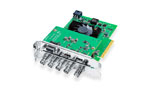
The 8-5-260504 release (May 5, 2026) was a landmark for Mini S users who need physical SDI I/O expansion. Vizrt officially added support for Blackmagic Design I/O cards on the TriCaster Mini S platform, with the DeckLink Duo 2 as the first tested and supported card. This means you can now add 2-channel 3G-SDI bidirectional I/O to a Mini S system without being limited to HDMI or NDI sources alone.
Note: After the Duo 2 was added in 8-5-260504, a follow-up hot fix (8-5-260515, May 15, 2026) was required to correct an issue where the Output Connectors column was not displaying when the card was installed. Make sure you are running at least version 8-5-260515 before deploying a DeckLink Duo 2 in a Mini S system.
Blackmagic capture cards and I/O devices available from coremicro that are relevant to TriCaster workflows:
AJA Capture Cards: Kona4 and KonaHDMI Added
The December 2025 release (8-5-251218) expanded AJA capture card support by adding two new cards:
- AJA Kona4 — 4K firmware only. The KONA 4 is AJA's workhorse PCIe 2.0 capture and I/O card supporting 4K, UHD, 2K, and HD signals over SDI. With 4K firmware, it becomes a powerful ingest and monitoring option inside TriCaster systems that support it.
- AJA KonaHDMI — A 4-input HDMI capture card that brings in up to four simultaneous HD or one channel of UltraHD. Ideal for TriCaster workflows that rely on HDMI sources like cameras, laptops, or presentation feeds without the need for SDI conversion.
Full Patch History: March 2025 – August 2026
Below is a complete, chronological record of every TriCaster Mini S software release over the past year. Use this as a reference when troubleshooting, planning upgrades, or verifying which version introduced a specific feature. For the authoritative source, view the official TriCaster Mini S patch notes hosted by Vizrt.
A targeted single-fix release addressing a DDR audio conflict:
- Fixed an issue where importing or selecting a clip in one DDR could cause audio drops from a clip playing in a different DDR simultaneously. Critical fix for multi-source replay and presentation workflows.
- Fixed: Output Connectors column not displaying when using a DeckLink Duo 2 IO card on Mini S.
- Fixed: Flowics graphics were not rendering smoothly when using certain font families on cloud-based systems.
Improvements
- Media Browser folders can now expand or collapse to display subfolders — long overdue for productions with deep media libraries.
- NDI Discovery sender monitoring enabled across the entire TriCaster family.
- Added ability to delegate control of multiple DDRs from the Flex Dual control panel.
- Copy/paste Keyer parameters now work across multiple keyers on Flex Dual.
- Macro support added for NDI Discovery monitor settings.
- Flex Dual macro trigger buttons now illuminate when assigned.
- 96kHz audio over Dante no longer produces pops and clicks during playback.
- Blackmagic Design I/O card support on TC Mini S — DeckLink Duo 2 tested and supported.
Bug Fixes (Selected)
- SRT stream input now functions correctly when a passphrase is configured.
- SRT stream input resolutions were previously being misinterpreted in TriCaster — corrected.
- Inputs would freeze after stopping HEVC streaming — resolved.
- Inputs could reset to Black at session start — resolved.
- Manual T-Bar fades would appear to jump during transitions — resolved.
- Record notifications now appear correctly when using external storage.
- Shortcut state now displays a date/time stamp when performing a Take from the main switcher or M/E rows.
- Full frame rate (60 & 30) session types added for products using the Matrox IO card.
- TriCaster Vizion gains a global NDI Quality Factor drop-down to adjust NDI output bitrate across all outputs.
- VizAI plugins now included in the TC Vizion installer by default.
- Fixes for DDR transport controls sending incorrect shortcuts in ISOmonitor views.
- Fixed noticeable delay when pressing TAKE/AUTO buttons on the Flex Control Panel.
- AJA Kona4 I/O card support added (4K firmware only).
- AJA KonaHDMI capture card support added.
- Fixed an issue preventing new users from registering using a Wibu license.
Improvements
- Performance warning for recording to more than 2 sources on a single drive removed — the platform now ships with SSDs instead of HDDs, removing the bottleneck that triggered this warning.
- Support added for exporting 10-bit encoded video to social media platforms.
- Updated VU meter colors and UI layout fixes throughout.
- Added support for Zoom Breakout Rooms within Live Call Connect.
- IP source connections can now be made without exiting the current session.
- Buffer frame limit increased from 300 to 1,000 frames — critical for complex animation and replay workflows.
- Zoom caller subcategory listing now shows Main/Room number for organized speaker management.
- Copy/Paste keyer feature no longer limited to a single paste per copy operation.
Bug Fixes (Selected)
- Fixed Mini S installer not launching on machines with NVIDIA 50-series (Blackwell) GPUs.
- Fixed MXF file playback audio crackling or popping at the end of clips.
- Fixed PTZ presets being cleared on session exit.
- Fixed Mini S control surface mappings not being saved correctly.
- Fixed AI Background Removal not working with HX2/3 NDI sources.
Improvements
- Live Call Connect (LCC) completely redesigned with new features including screen capture, region capture, and the new Zoom SDK for highest-quality caller feeds.
- Added 'None' mapping option in the Control Surfaces Config window.
- DDR remaining time textbox now macroable.
- Stills naming convention updated when using Grab.
Bug Fixes (Selected)
- Fixed Mini4K not displaying the DHCP Server option in the Control Panel.
- Fixed clip export resulting in files 1 frame too short or 1 frame too long.
- Fixed specific clips importing with random green frames flashing during playback.
- Fixed AI Background Removal not working with HX2/3 NDI sources.
- Fixed MP3 file export not working.
- Fixed BirdDog Flex not being discoverable in TriCaster.
- Fixed 2-Stripe Control Panel failing to use custom button mappings.
Bug Fixes
- Fixed audio and video going out of sync when playing back certain files in the DDR.
- Fixed LivePanel credentials failing to save correctly in some situations.
- Fixed a Matrox card issue where a frame of video could become stuck in an Input in specific scenarios.
- Fixed a Matrox card issue where feeding a PAL genlock signal in an NTSC session could cause outputs to function incorrectly.
- Fixed a LivePanel issue where Virtual Pan and Scan presets could not be recalled (PTZ presets were unaffected).
- Fixed session ISOmonitors occasionally failing to render on session startup.
- Fixed inability to set keyboard triggers for Macros while the text cursor was in the Name or Alias fields.
- Mini S: Fixed the Mini CS not being detected when plugged in.
- Mini S: Fixed an installer warning that was incorrectly detecting GPU and CPU drivers on some devices.
- Mini S: Fixed LivePanel not properly launching on session startup.
- Mini S: Fixed Access Manager in Add-Ons not launching when clicked.
Improvements
- Flex Dual: Stripe delegations are now serialized on session restart.
- Added more verbose error messages to the registration window.
- 410+ and TC1 now support LCC, limited to Zoom and MS Teams.
- The 2-Stripe and 4-Stripe Control Panels now support a "Blank" button mapping.
- The Input Source drop-down now includes a search feature.
Bug Fixes — 8-4-250310 (March 10)
- Fixed a UI lock-up that could occur when switching between Black and another local source on Inputs.
- Fixed re-registering a Wibu serial number after restoring not working as expected.
Flex Dual & Flex CP Bug Fixes — 8-4-250303 (March 3)
- Fixed Flex Joystick being incorrectly delegated to multiple targets simultaneously.
- Fixed UTIL row buttons incorrectly turning off in some situations.
- Fixed manual transitions performed with the surface T-bar not completing properly.
- Fixed some surface buttons not lighting properly when assigning a Source.
- Fixed non-PTZ presets not saving properly when triggered from a Flex surface.
- Fixed some Flex surface knobs sending incorrect values after being reset.
- Fixed Flex button labels not clearing when the associated Macro trigger was deleted.
Flex Dual & Flex CP Improvements — 8-4-250303
- Delegating joystick control no longer returns stripe settings to default.
- Joystick can now be multi-delegated to control multiple DSKs/KEYs simultaneously.
- Long-pressing the TRANS button now displays a list of the 9 loaded transitions on the Flex LCD for selection.
- Improved Flex surface responsiveness when controlling a cloud-based TriCaster instance.
Additional Bug Fixes — 8-4-250303
- Fixed handling of large numbers of NDI sources appearing/disappearing, which could cause memory issues.
- Fixed Windows Firewall settings interfering with the Wibu registration process in some network environments.
- Fixed memory issues when importing .mp3 files with embedded album art.
- Fixed decode artifacts when playing clips at 400% speed.
- Fixed audio not being received properly on Inputs above 32 on applicable products.
- Fixed 16-bit TIFF images not loading properly into DDRs.
- Fixed colorspace of recorded files not matching the session colorspace.
- Fixed sessions with a trailing space in their name not saving properly.
- Updated Vimeo API implementation to work with Vimeo's latest changes.
- Restored YouTube upload quota to previous levels after it had been mistakenly set too low.
Additional Improvements — 8-4-250303
- Updated Live Call Connect Zoom integration to use Zoom's SDK for highest-quality caller feeds.
- Improved handling of very long NDI source lists for better usability.
- Added a new "Alias" field to macros for shorter names on surface displays.
- Added Copy GUID and Copy Name options to the macro right-click context menu.
- Added a visual purple gear icon on inputs to indicate when AI features are active.
TriCaster Mini S Software Licensing Options
The TriCaster Mini S software is available in two licensing models from coremicro, depending on your budget and how you deploy your system:
The perpetual license is the right choice for facilities that want predictable costs and long-term ownership. The annual subscription suits production companies that want lower upfront investment, guaranteed access to all new features, and the flexibility to scale or change licenses at renewal time.
Best Practices for Keeping Your TriCaster Mini S Updated
1. Back Up Your Session Before Updating
Always export a session backup from within TriCaster before applying any software update. If the update encounters an issue, you can restore from the backup and roll back. The bug fix in 8-5-260504 specifically addressed an issue where session backups could not be cancelled — another reason to back up before updating, not after.
2. Verify All Parts Are Downloaded Before Installing
Multi-part updates are common in larger TriCaster releases. Vizrt explicitly flags this requirement in the release notes: if you start installing with only Part 1 of a 2-part update, the installer will fail or leave the system in a broken state. Download everything to a local folder first, then run the installer.
3. Pin Your NVIDIA Driver to v582.41 — Streaming and Recording Depend On It
Running the wrong NVIDIA driver version will cause streaming, capture, and recording to fail completely on TriCaster Mini S — not partially, not intermittently, but entirely. Go to Windows Update → Advanced Options → Optional Updates and disable driver updates. Then manually install NVIDIA driver v582.41 from NVIDIA's driver archive. Verify the installed version in Device Manager → Display Adapters before every live event. Do not allow Windows to override this with a newer driver until Vizrt explicitly certifies it in updated patch notes.
4. Verify Blackmagic Desktop Video Version
When the patch notes specify Blackmagic Driver v14.5, this refers to Blackmagic Design's Desktop Video software package. Download the specific version from Blackmagic's support site and do not allow Blackmagic's software to auto-update to newer versions between TriCaster patch cycles.
5. Monitor the Vizrt Product Updates Page
Vizrt publishes patch notes and downloads for the full TriCaster family at vizrt.com/product-updates/tricaster-family. Bookmark it and check before every live event. Hot fixes like the June 2026 DDR audio drop fix can be critical for multi-source productions and are often released with minimal fanfare between major GM releases.
Additional Resources
- Vizrt TriCaster Family — Software Downloads & Product Updates
- TriCaster Mini S Official Patch Notes (direct link)
- TriCaster Mini S Software Download (current version)
- Blackmagic Design Desktop Video Downloads (DeckLink drivers)
- AJA Support — SDK and Driver Downloads
- NVIDIA Driver Archive — find v582.41 for TriCaster-verified installs
- Vizrt TriCaster Product Family Overview
Explore More from coremicro
- Shop the full Vizrt TriCaster lineup at coremicro
- Blackmagic Design capture cards, cameras, and converters
- AJA capture cards, I/O devices, and converters
- Search: DeckLink Duo 2 at coremicro
Conclusion
The TriCaster Mini S software update history from March 2025 through August 2026 represents a steady stream of meaningful improvements — from Blackmagic DeckLink Duo 2 support and AJA Kona card integration, to Zoom Webinar compatibility, RossTalk triggers, a redesigned Live Call Connect, and a growing suite of Flex Dual control surface enhancements.
The key takeaways for any Mini S operator are these: keep AJA drivers at v17.5.0, Blackmagic Desktop Video at v14.5, and NVIDIA at v582.41. Pin those driver versions, back up your sessions before every update, and verify your capture card model is on the supported list before deployment.
coremicro is an authorized reseller of Vizrt, AJA, and Blackmagic Design products. Our team in Union City, CA is available to help you select the right capture cards and TriCaster licensing for your specific production environment.
Ready to Upgrade Your TriCaster System?
coremicro carries the full TriCaster Mini S software lineup along with AJA and Blackmagic Design capture cards — everything your live production needs in one place.
Shop TriCaster at coremicro