




Why Should I use Blackmagic DaVinci Resolve

Why use DaVinci Resolve? You can edit, grade, build effects, mix audio and render in one program, and the free version has no watermark and no time limit. If you outgrow it, DaVinci Resolve Studio is a one-time purchase. There's no subscription.
Updated November 2026 for DaVinci Resolve 21.

Blackmagic Design
DaVinci Resolve Studio Activation Key
Pay once, get upgrades free. $325.00 at Coremicro.
View DaVinci Resolve StudioWhat does DaVinci Resolve actually do?
A typical post workflow hops between programs. Cut in one, send an XML to the grading app, send audio to a DAW, then pull it all back for the final render. Each hop is a chance to lose a clip or end up with a frame rate mismatch.
Resolve skips the hops. Everything lives in one project, and each job has its own page: Media, Cut, Edit, Fusion for compositing, Color, Fairlight for audio, and Deliver. Version 21 added a Photo page for stills. Change the grade after the mix is locked and you just re-render. Nothing to re-export or relink.
The Color page is where Resolve started, and it's still the reason many editors pick it up. Our DaVinci Resolve 21 release overview covers what's new in the current version.
Is the free version of DaVinci Resolve good enough?
Often, yes. According to Blackmagic's DaVinci Resolve 21 release notes, the free version has the same image processing as Studio and reads media at any resolution. It stops at Ultra HD for mastering and output. On Windows and Linux it uses one GPU.
So if you deliver 1080p or UHD from a single-GPU machine, you may never need to pay. The table shows what Studio adds.
| Capability | DaVinci Resolve 21 | DaVinci Resolve Studio 21 |
|---|---|---|
| Price | Free | One-time license |
| Image processing quality | Same as Studio | Same as free |
| Source media resolution | Unlimited | Unlimited |
| Mastering and output | Ultra HD or lower | Above Ultra HD |
| GPUs on Windows and Linux | One | Multiple |
| Temporal and spatial noise reduction | No | Yes |
| AI tools in version 21, including CineFocus | No | Yes |
| HDR grading tools | No | Yes |
| Fusion camera tracker | No | Yes |
| Fairlight voice isolation, surround and immersive audio | No | Yes |
| Motion blur, stereoscopic 3D, remote rendering | No | Yes |
Every feature is listed in our DaVinci Resolve vs DaVinci Resolve Studio comparison.
When is DaVinci Resolve Studio worth buying?
Start with noise reduction. If you shoot in dim churches, gyms or event halls at high ISO, you'll want it, and the free version doesn't include temporal or spatial noise reduction. Studio also makes sense when:
- •You deliver masters bigger than Ultra HD.
- •Your Windows or Linux workstation has two GPUs and the free version is ignoring one.
- •You record interviews in noisy rooms and want voice isolation.
- •You grade HDR, mix surround, or want the version 21 AI tools.
None of those yet? Start free. Your projects open in Studio later as they are.
Why does a one-time DaVinci Resolve license matter?
Most editing software is rented now. Stop paying and you can't open your own projects. Resolve Studio is bought once, and Blackmagic has given existing owners every major upgrade at no charge, version 21 included.
One key can be active on two computers, say an edit suite and a laptop. Activate a third and the oldest drops off. See how to activate a DaVinci Resolve Studio license for the steps, or is DaVinci Resolve Studio a lifetime license for the terms.
Does DaVinci Resolve work with Blackmagic hardware?
Yes. Blackmagic makes both, so the panels, cards and cameras are built for Resolve.

Control panels with a Studio license in the box
If you want a panel anyway, buy the bundle. These come with a Studio license:
- •The DaVinci Resolve Speed Editor is a small keyboard with a search dial, made for the Cut page.
- •The DaVinci Resolve Editor Keyboard puts those edit keys and the dial on a full-size keyboard.
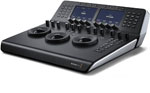
- •The DaVinci Resolve Micro Panel gives you three trackballs and grading knobs.
- •The DaVinci Resolve Mini Panel adds screens and palette buttons for full-time colorists.
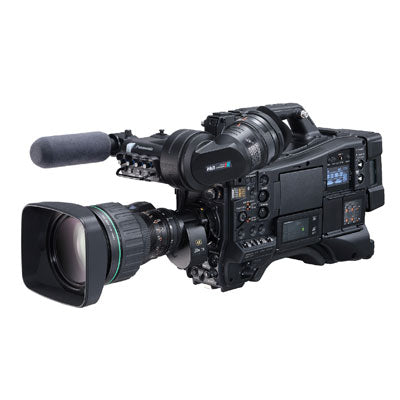
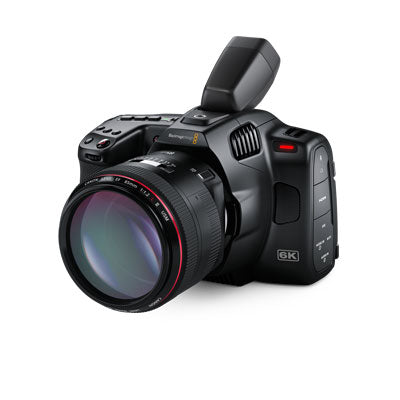
Blackmagic cinema cameras include a Studio license too. On a Mac with a panel, install Resolve from Blackmagic's site. The Mac App Store version doesn't support some external control panels.
Do you need a monitoring card?
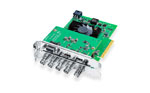
For serious grading, yes. Your computer display goes through the operating system's color management, so it isn't a true reference. A playback device sends Resolve's output straight to a broadcast or reference monitor. Desktops take the DeckLink Mini Monitor 4K PCIe card. Laptops use the UltraStudio Monitor 3G over Thunderbolt. Either one needs Desktop Video 12.9 or later with Resolve 21.
What computer do you need for DaVinci Resolve 21?
Resolve leans on the GPU much more than the CPU. Blackmagic's published minimums for version 21:
| OS | Version | RAM | GPU |
|---|---|---|---|
| macOS | macOS 15 Sequoia or later | 8 GB (16 GB with Fusion) | Apple Silicon |
| Windows | Windows 10 Creators Update or later | 16 GB (32 GB with Fusion) | Integrated, or discrete with 4 GB VRAM; NVIDIA Studio driver 581.57 or newer |
| Linux | Rocky Linux 8.6 | 32 GB | Discrete with 4 GB VRAM; NVIDIA Studio driver 580.119.02 or newer |
That's enough to launch it. A 4K timeline with noise reduction and Fusion comps needs far more VRAM. Our DaVinci Resolve Studio GPU guide matches current NVIDIA and AMD cards to timeline resolution.
What are the downsides of DaVinci Resolve?
There's a lot to learn. Premiere Pro and Final Cut Pro users can switch Resolve to a familiar keyboard layout, which helps on the Edit page. Color and Fusion are node-based, though, and nothing else you've used works quite like them.
It's also hard on graphics hardware. An older laptop that plays back fine in a lighter editor can stutter in Resolve until you generate optimized media or proxies.
Back up before major upgrades. Blackmagic warns that projects opened in version 21 won't open in 20.3.2, so don't upgrade in the middle of a job without a project library backup. And if you're on an Intel Mac, version 21 lists Apple Silicon only.
Weighing Resolve against other editors? Our Premiere Pro vs Final Cut Pro vs DaVinci Resolve Studio comparison puts them side by side.
Which version should you start with?
Download the free version from Blackmagic Design and edit a real project with it. Within a week you'll know if you've hit a Studio limit. Plenty of church media teams and school broadcast programs never do. Post houses, colorists and anyone shooting in low light usually need Studio right away.
Where to buy
Coremicro is an authorized Blackmagic Design dealer. Need help choosing a GPU, panel or monitoring card for Resolve? Email orders@coremicro.com or call (510) 687-1234 Option 1.
View DaVinci Resolve Studio Shop Blackmagic DesignDaVinci Resolve FAQ
Is DaVinci Resolve really free?
Yes. It's the full program, not a trial, and exports carry no watermark. The limits are Ultra HD output and one GPU on Windows and Linux.
Do I have to pay again for new versions of DaVinci Resolve Studio?
No. Blackmagic Design has made major Studio upgrades free for existing owners, including the move to version 21.
How many computers can use one DaVinci Resolve Studio license?
Two at a time. Activating a third computer deactivates the oldest.
Can I open free version projects in DaVinci Resolve Studio?
Yes. Both versions use the same project format.
Does DaVinci Resolve 21 run on Intel Macs?
Blackmagic's DaVinci Resolve 21 requirements list Apple Silicon and macOS 15 Sequoia or later. Intel Macs aren't on the list.
-
Posted in
Blackmagic Design, DaVinci Resolve Studio