






How to activate Blackmagic Design DaVinci Resolve Studio License Key


One key. Every Studio tool. Yours for good.
A genuine DaVinci Resolve Studio activation key, delivered by email and kept on file at Coremicro. Edit, grade, finish audio, and deliver from one application on Windows, macOS, or Linux.
Looking to buy a DaVinci Resolve Studio license key without a subscription? This is it: a lifetime license from an authorized reseller, emailed the same day. The free version of DaVinci Resolve is genuinely good. Most people upgrade the day a project outgrows it: a client wants a 6K master, footage needs real noise reduction, or a render is crawling on one GPU while a second card sits idle. The Studio key removes those walls. Same interface, same projects, no relearning. Just the full toolset switched on.
DaVinci Resolve Free vs Studio: What the License Actually Unlocks
These are the differences you feel on real jobs, not just on a comparison chart.
Full DaVinci Neural Engine
Magic Mask, Speed Warp retiming, face refinement, and the newer AI tools that the free version holds back. Rotoscoping that used to take an afternoon now takes a few clicks.
Temporal and Spatial Noise Reduction
Clean up high-ISO and low-light footage without smearing detail. For event and documentary shooters, this alone pays for the key.
Delivery Beyond 4K
Master and export above UHD and at higher frame rates for cinema, high-end streaming, and large-format displays.
Multiple GPU Acceleration
Studio spreads processing across more than one graphics card, so heavy grades and effects play back and render far faster.
Stereoscopic 3D and Remote Rendering
Pro finishing tools for 3D work, plus the ability to push renders to another machine and keep your edit station free.
Two Machines, One License
Activate on your edit workstation and your laptop at the same time, across Windows, macOS, and Linux. Move it anytime with Help, then Deactivate License.
Lost Your DaVinci Resolve Studio Activation Key?
It happens more than you would think. A drive dies, an inbox gets cleaned out, an editor leaves the company. Every key bought from Coremicro stays on file. Send us your order number and we will resend it, usually the same business day.
How to Install and Activate DaVinci Resolve Studio
Do these in order. Most people are editing in about 15 minutes.
Pick Your Option and Place the Order
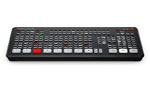
The key on its own is all most editors need. If you cut a lot, the Speed Editor bundle is worth a look. The search dial and source tape buttons change how fast you get through a rough cut, and the Studio key comes in the box.
Please note: Activation keys are digital licenses registered on Blackmagic Design servers, so they cannot be returned or refunded once delivered.Watch Your Inbox for the Key
Orders placed Monday through Friday between 9am and 4:30pm PT get their key by email the same day. If checkout asks for a shipping method, choose Email Delivery, US Customers Only.
Nothing yet? Check spam or junk first. Still missing a few hours later? Send us your order number and we will track it down.Remove the Free Version First
If the free DaVinci Resolve is already installed, uninstall it before you go further. Of all the activation calls we take, this is the one that comes up most. Skip it and Resolve may never ask for your key.
How: On Windows, use Settings, then Apps, or Add/Remove Programs. On macOS, run the Uninstall Resolve utility that ships with the installer rather than dragging the app to the Trash, so support files are removed too.Download Studio from Blackmagic Design
Get the installer straight from Blackmagic. Third-party download sites tend to host old builds, or worse, modified ones.

Choose Studio and Your Operating System
Find DaVinci Resolve Studio and pick Windows, macOS, or Linux. Both versions sit right next to each other on that page, so make sure the one you click says Studio.

Register, or Skip Straight to the Download
Blackmagic will offer a registration form. It is optional. Click Download Only in the lower left corner if you want to get going.

Save and Extract the Archive
Save the download to its own folder and extract it before running anything. Launching the installer from inside the zip is a quick way to get a half-finished install.

Run the Installer and Pick Components
Double-click the installer. DaVinci Resolve Studio is the one you need. If your team will share projects through a local database server, tick PostgreSQL as well. Solo editors can leave it unchecked.

Accept the License and Choose a Location
Click Accept on the end-user license agreement. The default install folder is fine for nearly everyone. Then click Install.

Let It Finish, Then Restart
Expect two to five minutes depending on the machine. Windows will often ask for a restart at the end. Do it. Launching before the restart is a common cause of odd first-run errors.

Open DaVinci Resolve Studio
Launch it from the desktop icon. On the welcome screen, click Skip Tour, then Quick Setup or Skip and Start Right Now to reach activation.

Enter Your DaVinci Resolve Studio License Key
Open the email from Coremicro titled DaVinci Resolve Studio Activation Key for Your Coremicro Order, copy the key, and paste it into the activation box. Pasting beats typing. One wrong character is all it takes.
What happens next: Resolve checks the key once with Blackmagic Design servers, which takes a few seconds. After that the license lives on your machine and you can work fully offline. No monthly check-ins.
You Are Activated
That is it. Noise reduction, the full Neural Engine toolset, multi-GPU processing, and beyond-4K delivery are all live. Open a project and get to work.

Questions We Hear Every Week
Straight answers, before and after you buy.
Will an older Studio key work with the current version?
Yes. Blackmagic Design has never charged Studio owners for a major version upgrade, so a key bought years ago activates today's Studio release. Download the latest installer and enter the same key.
Can I use DaVinci Resolve Studio on two computers, or transfer it to a new one?
Two at the same time, for one user. They can run different operating systems, so a Windows workstation and a MacBook is fine. Replacing a machine? Open Studio on the old one, choose Help, then Deactivate License, and enter the key on the new one.
Do I need to stay online after activating?
No. The internet is needed once, for the activation check. After that DaVinci Resolve Studio runs offline with no recurring verification.
What if I lose my key?
If you bought it from Coremicro, we have it on file. Contact us with your order number and we will resend it.
Why uninstall the free version before installing Studio?
The two versions share system files. Installing Studio on top of the free build is the most common reason we see the key prompt never appear. Uninstalling first takes about a minute and avoids the problem entirely. Your projects and media are not affected.
Is DaVinci Resolve Studio a subscription or a lifetime license?
Lifetime. It is a one-time purchase with no monthly or annual fees, and the license does not expire.
Can I upgrade from the free version of DaVinci Resolve to Studio?
Yes. Uninstall the free version, install Studio from Blackmagic Design, and enter your key. Your existing projects open in Studio, so there is nothing to rebuild.
Key, USB dongle, or hardware bundle: which should I get?
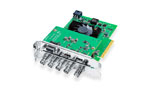
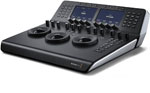
The key suits one editor on up to two computers. The Studio USB dongle suits facilities where the license needs to move between many machines. If you also want a control surface, the Editor Keyboard and Mini Panel both include a Studio license.
Ready to Unlock Studio?
Order before 4:30pm PT on a weekday and you can be grading tonight. Questions first? Our team has been doing this since 2014 and is around Monday through Friday, 9am to 4:30pm PT.
-
Posted in
DaVinci Resolve



.
activation key
Thanks, this helps and bought the license key from coremicro.com