



















Fix: DistroAV Installation Failed on macOS (OBS NDI Plugin)
Fix: DistroAV Installation Failed on macOS (OBS NDI Plugin)
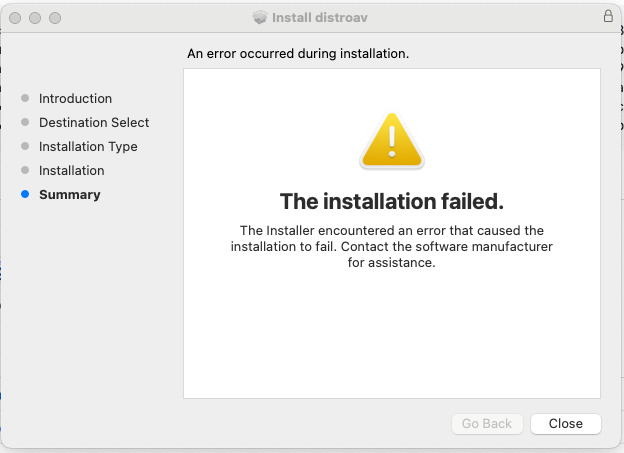
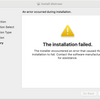
If you're installing OBS DistroAV version 6.1.1 or earlier on macOS and see the message "The installation failed", the issue is often caused by incorrect permissions in the OBS plugin folder.
In many cases, the installer is not actually broken. The problem is that the obs-studio/plugins folder is owned by root instead of your user account, so the installer cannot write the plugin files correctly.
Download DistroAV here
Why the Installation Fails
OBS stores plugins in this folder:
~/Library/Application Support/obs-studio/plugins
On some macOS systems, that folder may be owned by root instead of your current user. When that happens, the DistroAV installer cannot complete the installation.
Because the .pkg installer does not prompt for admin permissions during this step, it cannot automatically fix the ownership issue.
Step 1: Check the Plugin Folder Ownership
Open Terminal and run this command:
ls -ld ~/Library/Application\ Support/obs-studio/plugins
If the result shows something like this, the folder ownership is the problem:
drwxr-xr-x 3 root staff 96 Jun 12 2024 /Users/yourname/Library/Application Support/obs-studio/plugins
Step 2: Fix the Folder Permissions
Run this command in Terminal:
sudo chown -R $(whoami) ~/Library/Application\ Support/obs-studio/plugins
Enter your Mac password when prompted.
This changes the ownership of the OBS plugins folder and everything inside it back to your user account.
Step 3: Verify the Change
Run the ownership check again:
ls -ld ~/Library/Application\ Support/obs-studio/plugins
After the fix, you should see your username instead of root.
Example:
drwxr-xr-x 3 yourusername staff 96 Jun 12 2024 /Users/yourname/Library/Application Support/obs-studio/plugins
Reinstall DistroAV
Once the folder ownership is corrected:
- Run the DistroAV installer again
- Finish the installation
- Restart OBS Studio
If the install completes normally, the plugin should load correctly inside OBS.
How to Confirm It Worked
Open OBS Studio and look for:
Sources > Add > NDI Source
If NDI Source appears, the plugin installed successfully.
Quick Summary
If DistroAV fails to install on macOS, check whether the OBS plugins folder is owned by root. If it is, run the command below to fix it:
sudo chown -R $(whoami) ~/Library/Application\ Support/obs-studio/plugins
After that, reinstall DistroAV and restart OBS Studio.
Credit
Special thanks to Austin Block (austin12block) for identifying and sharing the solution to this issue GitHub
-
Posted in
OBS

)