



















Best Professional Blu-ray Authoring Software Author + Burn Like a Pro
Best Professional Blu-ray Authoring Software (2026): Author + Burn Like a Pro with DaVinci Resolve
DaVinci Resolve Studio is the industry-standard finishing tool — but it cannot author or burn Blu-ray discs. This guide covers every professional Blu-ray authoring tool ranked and verified for 2026, including a step-by-step DaVinci Resolve export workflow so your master hands off cleanly with zero re-encoding surprises.
Why DaVinci Resolve Studio Can't Burn Blu-ray — And Why That's Fine
If you've spent time searching the Deliver page of DaVinci Resolve Studio for a "Burn to Blu-ray" button, you already know it isn't there. Blackmagic Design has never included disc authoring in Resolve — and for professional post-production workflows, that separation is actually the correct engineering decision.
Blu-ray authoring is a distinct problem from finishing. Creating a playable disc requires building a BDMV directory structure, multiplexing video and audio into M2TS streams, defining playlist navigation logic, authoring interactive menus, and producing a verified ISO image. These are disc-specification engineering tasks, not color and editing tasks. Combining them into one application has historically produced worse results in both areas.
The clean two-stage workflow — finish and grade in Resolve, author in dedicated software — gives you full control over both your grade and your disc behavior without compromise. This guide explains which authoring tool to reach for and how to export from Resolve so the authoring stage doesn't fight you.
Blu-ray delivery is still active in 2026 for real professional reasons: archival mandates, government and legal deliverables, film festival submission requirements, houses of worship building disc libraries, corporate compliance archives, and clients who simply require physical media. The landscape has consolidated significantly since Adobe Encore was discontinued, but strong tools exist at every budget tier.
Quick Picks — Best Blu-ray Authoring Software by Use Case (2026)
- Best overall for professional delivery (Windows): TMPGEnc Authoring Works 7 — full menus, chapters, pop-up menus, smart rendering from Resolve exports, actively maintained
- Best for studio replication and advanced BD-J navigation: Scenarist BD — the industry standard for commercial disc mastering
- Best for BD-J interactive menus at a lower price point: Blu-Disc Studio (v4.7.2, February 2026) — animated menus, pop-up flows, Scenarist export compatibility
- Best free muxing/pipeline tool: tsMuxeR — no menus, but HDR-preserving passthrough and compliant BDMV structure output
- Best legacy authoring still in active production use: DVD Architect (with 4 GB patch) — HDMV menus, AC3/PCM audio, known stable on Windows
- Best practical path on Mac: Roxio Toast 20 — Blu-ray authoring included in both Titanium and Pro editions, Template Designer for custom menus, native Apple Silicon (M1–M4), officially supported through macOS Sonoma
- Best burning-only utility: Nero Burning ROM — reliable ISO-to-disc burn engine
2026 Blu-ray Authoring Software Comparison Table
| Software | Platform | Menus / Pop-Up / BD-J | 4K & HDR | Price | Skill Level |
|---|---|---|---|---|---|
| Scenarist BD Studio | Windows | Full / Yes / Yes BD-J Best | Yes | Enterprise $$$$ | Expert |
| TMPGEnc AW 7 Recommended | Windows | Full / Yes ✓ / No | Yes (HEVC) | ~$122 (trial free) | Intermediate |
| Blu-Disc Studio BD-J | Windows | Full / Yes / Yes | Yes (v4.7.2) | Lite free / ~$500 | Intermediate–Adv. |
| tsMuxeR Free | Win / Mac / Linux | None / No / No | Yes (HDR10 / DV) | Free | Intermediate |
| DVD Architect Legacy | Windows | HDMV / No / No | No | Bundled w/ Vegas | Intermediate |
| Roxio Toast 20 Pro Mac | macOS (M1–M4 / Intel) | Templates+Designer / No / No | BD plug-in incl. (Pro) | Pro edition | Beginner–Intermed. |
| Nero Burning ROM | Windows | Basic / No / No | Yes | ~$50 | Beginner |
| multiAVCHD Free | Windows | Simple top / Limited / No | No (2012-era) | Free | Advanced |
1. Scenarist BD — Studio-Grade Replication Authoring
Scenarist BD (Rovi / Sonic Solutions)
Scenarist BD is the benchmark against which every other Blu-ray authoring tool is measured in professional replication workflows. When a project involves commercial distribution, replication plant submission, complex BD-J navigation trees, playlist-driven branching logic, or region-aware interactive elements, this is the correct tool. It generates full Blu-ray structures with deterministic playback behavior, verified playlists, and precise multi-track audio and subtitle integration — exactly what replication facilities require.
The tradeoff is real: Scenarist is not software you pick up in an afternoon. Effective use requires understanding Blu-ray playlist and navigation specification at a low level, and the workflow centers on authoring logic rather than drag-and-drop creation. The investment in time and licensing cost is justified for dedicated authoring houses, post facilities doing theatrical or streaming-to-disc distribution work, and studios preparing commercial releases. For client disc delivery, institutional archiving, or festival submissions, TMPGEnc Authoring Works 7 achieves equivalent results at a fraction of the cost and learning overhead.
- Strictest BD specification compliance available
- Full BD-J navigation, button logic, and branching
- Accepted by replication plant facilities
- Multi-angle, multi-audio, multi-subtitle mastering
- Playlist and navigation tools for navigation-heavy projects
- Enterprise pricing — not practical for occasional disc work
- Very steep learning curve (plan weeks, not hours)
- Overkill without a replication requirement
- Windows only
2. TMPGEnc Authoring Works 7 — Best All-Around Professional Pick
TMPGEnc Authoring Works 7 (Pegasys Inc.)
For the majority of professional Blu-ray delivery scenarios — client discs with menus and chapters, institutional library archives, festival submissions, corporate compliance recordings, house of worship sermon series — TMPGEnc Authoring Works 7 hits the best balance of professional output quality and practical workflow. It is actively maintained (the June 2026 build fixes Premiere Pro 2026 CSV chapter import and dashcam TS file issues), and it handles what most working professionals actually need without requiring an engineering degree in BD specification.
Smart Rendering: Why It Matters for DaVinci Resolve Users
The headline capability for Resolve users is smart rendering. When your source video already meets Blu-ray specification — correct resolution, frame rate, codec profile, and bitrate — TAW7 analyzes the stream on import and re-encodes only the portions that have been changed (cut points, transitions, effects). Unchanged sections pass through without re-encoding. For a clean H.264 or HEVC master exported from Resolve's Deliver page, this typically means the authoring stage is fast and visually lossless — no generation loss from a full re-encode.
Menu Authoring and Format Flexibility
TAW7 supports full Blu-ray BDMV menu creation including pop-up menus accessible during playback — a point that is frequently misstated online. Over 130 menu templates are included, and custom layouts are supported. You can contain up to 4 audio and 8 subtitle streams per project. The software includes a Simulation Stage that lets you test menu navigation and playback behavior virtually before burning, which substantially reduces wasted discs during QC.
One genuine workflow advantage: TAW7 allows you to switch output format (Blu-ray BDMV, DVD-Video, AVCHD) mid-project without losing your editing state. If a client asks for both a Blu-ray and DVD version of the same project, you can convert without starting over. The Batch Authoring Tool allows multiple projects to be queued and output sequentially — useful for high-volume institutional delivery.
What TAW7 does not support is BD-J — the scripted interactivity standard used for animated menus, complex branching behavior, and the kind of interactive elements found on commercial theatrical releases. For BD-J capability, Blu-Disc Studio or Scenarist is required. For the overwhelming majority of client deliverables, this distinction is irrelevant.
- Smart rendering = fast, near-lossless output from Resolve masters
- Full menus + pop-up menus + chapters + subtitles
- Actively maintained — June 2026 build current
- Apple ProRes and HEVC/H.265 (10-bit 4:2:2) import supported
- MXF container import (broadcast/post formats)
- ISO creation + disc burning built in
- 30-day trial before purchase
- Batch authoring for volume delivery
- Windows only — no native Mac version
- No BD-J (complex interactivity/animation)
- Heavy resource use during output — close other applications
- Menu customization below Blu-Disc Studio or Scenarist
- BDXL media not supported
3. Blu-Disc Studio — BD-J Interactive Menus Without Scenarist Pricing
Blu-Disc Studio
Blu-Disc Studio fills the meaningful gap between TMPGEnc Authoring Works 7 and Scenarist BD. It is a dedicated BD-J disc authoring application — meaning it can create the kind of animated, interactive menus found on commercially pressed discs, which neither TMPGEnc nor DVD Architect can produce. The February 2026 v4.7.2 update delivered smoother pop-up menu flows, improved animated transitions, enhanced SRT subtitle import from file, and a dedicated "Hide Menu" animation capability. It supports up to 50 enter animations and 25 animation groups, making complex menu presentations genuinely achievable.
A key pipeline advantage: Blu-Disc Studio can export its authored output directly to Scenarist BD format, making it a practical mid-stage tool in larger professional pipelines where final packaging is handled by Scenarist but menu authoring is done in a more accessible environment. For teams that don't need the full Scenarist licensing overhead but want BD-J menus, this is the practical path.
The Lite version is free and covers basic disc creation. The full version unlocks BD-J interactivity, animated menus, and the full range of transitions and navigation logic. The learning curve is steeper than TMPGEnc — plan for meaningful time investment with the BD specification before your first complex project.
- True BD-J interactive menus — rare at this price point
- Animated transitions and pop-up menu flows
- Actively updated in 2026 (v4.7.2 February)
- Scenarist BD export for replication pipelines
- Lite version free to evaluate
- SRT subtitle import improved in v4.7.2
- Full version ~$500 — significant investment
- Steeper learning curve than TMPGEnc
- Windows only
- No built-in burn step — separate tool required
- Interface can feel overwhelming initially
4. tsMuxeR — Free Pipeline Tool for Clean Stream Control
tsMuxeR (community fork v2.7.2)
tsMuxeR is not a full authoring suite — it will not design menus or provide a chapter editor. What it does exceptionally well is mux elementary streams into a compliant Blu-ray BDMV structure or M2TS output with passthrough precision. Supported video codecs include H.264/AVC, H.265/HEVC, VC-1, and MPEG-2. Supported audio codecs include AAC, AC3/E-AC3 (Dolby Digital Plus), DTS, and DTS-HD. The software preserves HDR10, HDR10+, and Dolby Vision metadata from source — critical for HDR deliverables where metadata must survive the mux stage intact.
For Resolve users, tsMuxeR is most useful when you have a fully encoded, BD-compliant master and need a valid BDMV structure without the overhead of a full authoring application — archival copies, client review discs without navigation, or as a packaging step before importing into Blu-Disc Studio or Scenarist. It also extracts DTS core from DTS-HD streams when a downconverted audio path is needed.
The original development stopped; the community fork (v2.7.2, April 2026) keeps it functional on modern systems. Use it as a pipeline component, not a standalone production authoring solution when menus and navigation are required.
- Free and cross-platform (Windows/Mac/Linux)
- Preserves HDR10, HDR10+, Dolby Vision metadata
- Passthrough = zero re-encoding, maximum quality retention
- HEVC/H.265, DTS-HD, TrueHD (Dolby Atmos) support
- ISO and BDMV folder output
- Fast — no transcoding overhead
- No menu design — straight playback structure only
- Passthrough only — no transcoding or re-encoding
- Source must already be BD-specification compliant
- Original development halted; community-maintained only
- Not suitable as a primary authoring tool for client deliverables
5. DVD Architect — The Legacy Tool Still in Active Production
Magix / Sony DVD Architect
DVD Architect was discontinued by Sony (now Magix) but continues to be used in active production for one practical reason: teams that know it can move fast on familiar ground. With the community 4 GB memory patch applied — which removes the memory ceiling that causes crashes on modern 64-bit Windows — DVD Architect produces valid Blu-ray HDMV disc structures with traditional menu design and a workflow that feels intuitive to anyone who has used disc authoring tools for more than a few years.
Audio and menu limitations to understand
DVD Architect supports Dolby Digital AC-3 (up to 640 kbps) and PCM stereo audio. It does not support lossless surround formats including DTS-HD Master Audio or Dolby TrueHD. If lossless audio is a requirement, a common workaround is to author the menu structure in DVD Architect and then use multiAVCHD's re-author mode to swap the audio stream after authoring — multiAVCHD can rebuild the BDMV structure with the new lossless stream intact while preserving the menu authored in Architect.
Pop-up menus are not supported in DVD Architect. For deliverables requiring pop-up navigation during playback, TMPGEnc Authoring Works 7 or Blu-Disc Studio is required. For straightforward disc delivery on a stable, known toolchain, DVD Architect remains a valid choice for teams already invested in it.
6. Roxio Toast 20 — The Best Mac Blu-ray Burning Option
Roxio Toast 20 (Titanium & Pro)
On macOS, professional Blu-ray authoring options are genuinely sparse. With Apple's DVD Studio Pro long discontinued and no native Mac version of TMPGEnc Authoring Works or Blu-Disc Studio, Roxio Toast 20 is the most capable and actively maintained native option for Mac users who need to burn disc-based deliverables from a DaVinci Resolve master. Toast 20 is optimized for macOS Sonoma and fully compatible with both Apple Silicon (M1 and later) and Intel Macs.
Toast 20 Titanium vs. Toast 20 Pro — Which Do You Need?
Both editions of Toast 20 include Blu-ray disc authoring — that capability is not gated behind an additional plug-in purchase in version 20. The distinction between editions is scope and extras. Toast 20 Titanium gives you Blu-ray authoring with 20+ disc menu templates and the new Template Designer. Toast 20 Pro adds 100+ disc menu templates, WinZip Mac 9 for file compression, and Corel Painter Essentials 8 and AfterShot 3 for photo editing. For most professional Blu-ray delivery workflows from DaVinci Resolve, Toast 20 Titanium is sufficient; Toast 20 Pro is worth it if you need the larger template library or the bundled creative tools.
What Toast 20 Does Well for DaVinci Resolve Users
Toast 20 accepts the output formats DaVinci Resolve produces — MOV, MP4, MPEG-2/4, AVCHD — and brings them into a streamlined burn workflow with drag-and-drop controls. DVD and Blu-ray authoring supports custom menus and chapters built from templates or the new Template Designer (introduced in Toast 20), which allows custom layout, background, buttons, music, and font selection. The Simulation Stage lets you preview disc navigation before committing to physical media. Audio input formats include AAC, AIFF, MP3, WAV, M4A, FLAC, and Dolby Digital AC-3. Disc image formats supported include ISO, BIN/CUE, IMG, DMG, and NRG — meaning you can burn a pre-built ISO from tsMuxeR or another authoring tool directly through Toast.
Toast also includes tools beyond just authoring: screen capture, basic video trimming, audio noise reduction, file conversion, and AES-256 encrypted disc burning (Roxio Secure Burn). For Mac-based production teams that need an all-in-one tool covering capture, light editing, conversion, and delivery to disc, the Pro edition represents solid value.
Where Toast 20 Has Limits
Toast is not a deep professional authoring environment in the same tier as TMPGEnc Authoring Works 7 or Blu-Disc Studio. BD-J interactive menus are not supported. Pop-up menus during Blu-ray playback are not available. For multi-audio/multi-subtitle track control at the level professional deliverables often require, you will hit the ceiling of what Toast exposes in its interface. It does not support BDXL media. For straightforward single-title Blu-ray delivery with basic menu navigation — which covers the majority of festival submissions, client review discs, and institutional archive work on Mac — Toast 20 Pro gets the job done cleanly and natively.
For complex menus, BD-J interactivity, or high-volume professional disc production on Mac, the practical recommendation remains: run Windows in a VM (Parallels Desktop or VMware Fusion on Apple Silicon) and use TMPGEnc Authoring Works 7 or Blu-Disc Studio. The authoring depth difference is substantial, and the overhead of a Windows VM on Apple Silicon is low.
- Native macOS — M1/M2/M3/M4 and Intel, Sonoma-ready
- Toast 20 Pro includes Blu-ray plug-in (no extra purchase)
- Drag-and-drop disc creation with menu templates
- Template Designer for custom menu layouts
- Accepts ISO images from other authoring tools
- Accepts MOV, MP4, AVCHD from Resolve Deliver page
- AES-256 encrypted disc burning (Roxio Secure Burn)
- All-in-one: capture, convert, edit, burn in one app
- No BD-J interactive menu support
- No pop-up menus during Blu-ray playback
- Both editions include Blu-ray — Pro adds 100+ templates and creative extras
- Limited multi-audio/subtitle track control vs. Windows tools
- No BDXL media support
- Template-based menus only — no low-level authoring control
7. Nero Burning ROM — Reliable Burn Engine, Not a Full Authoring Suite
Nero Burning ROM excels at burning ISO images and BDMV folder structures to disc reliably. Its companion application Nero Video adds a layer of basic chapter and menu creation for straightforward projects. For workflows where authoring is completed in another tool and you need a dependable burn engine to write the ISO to physical media, Nero is a well-proven option with decades of track record. Do not expect the menu depth of TMPGEnc Authoring Works 7 or the BD-J capability of Blu-Disc Studio — Nero's disc creation tools are designed for home users and small teams rather than professional post pipelines. Use it for what it does best: burning a verified ISO to disc cleanly.
DaVinci Resolve Studio Export Workflow for Blu-ray (1080p and 4K)
The goal is a clean, authoring-software-friendly master that your disc authoring tool can process without surprises. Two rules prevent the majority of problems: export at the exact resolution and frame rate your disc will use, and stay within Blu-ray specification bitrate and codec parameters so smart rendering can engage in your authoring tool.
Before You Export: Confirm Timeline Settings
Open Project Settings → Master Settings and verify your resolution and frame rate match your Blu-ray target. Blu-ray supports 1920×1080 at 23.976, 24, 25, 29.97, 50, and 59.94 fps. UHD Blu-ray adds 3840×2160. A mismatch between your Resolve timeline and your disc spec forces a re-encode in the authoring stage — the smart rendering advantage disappears, and you add generation loss and render time to the workflow.
Deliver Page: 1080p Blu-ray Master Settings
Deliver Page: 4K UHD Blu-ray Master Settings
The ISO-First Burn Workflow
5 Rules That Prevent Coasters and Client Callbacks
Pre-Burn Quality Control Checklist
- Use reputable disc media. Verbatim, Ritek, and Panasonic branded blanks are the industry-standard recommendation. Cheap no-name discs are the leading cause of "random" burn failures and playback incompatibilities that have nothing to do with authoring settings.
- Test ISO before physical burn. Mount the ISO in VirtualCloneDrive or similar, verify menus, chapters, audio, and subtitles fully in a software player. One test step prevents one coaster.
- Stay within practical Blu-ray bitrates. The BD specification allows up to 40 Mbps average, but targeting 20–28 Mbps for 1080p keeps you well inside what hardware players handle without buffer stutter. Predictable playback beats theoretical peak quality on client hardware.
- Match frame rate exactly — 23.976 ≠ 24.000 fps. A mismatch between your Resolve export and your disc specification causes judder or hard errors on strict hardware players. Confirm in Project Settings before rendering.
- Test on more than one player. Corporate conference rooms, houses of worship, and universities often run older players that reject discs a modern PS5 or Oppo plays without issue. If you know the client's hardware, test on that specific model.
Frequently Asked Questions — Blu-ray Authoring from DaVinci Resolve
Can DaVinci Resolve Studio burn or author Blu-ray discs directly?
No. DaVinci Resolve Studio — and the free version — do not include disc authoring or burning capabilities in any version. Resolve handles editing, color grading, audio mixing (Fairlight), and visual effects (Fusion), but creating a BDMV directory structure, interactive menus, playlists, and burning to optical media requires separate dedicated software such as TMPGEnc Authoring Works 7, Scenarist BD, Blu-Disc Studio, or Roxio Toast 20 on Mac.
Does TMPGEnc Authoring Works 7 support pop-up menus?
Yes. TMPGEnc Authoring Works 7 supports Blu-ray pop-up menus that are accessible during playback — this is confirmed in the official Pegasys product documentation and the v7.1.2 changelog which fixes a simulation bug related to pop-up menu behavior. What TAW7 does not support is BD-J, which is the complex scripted interactivity standard used for animated menu logic. For BD-J, Blu-Disc Studio or Scenarist BD is required.
What codec should I export from DaVinci Resolve for Blu-ray?
H.264 (AVC) at High profile is the safest choice for 1080p Blu-ray delivery due to universal hardware player compatibility. H.265 (HEVC) at Main10 profile is required for UHD (4K) Blu-ray and is increasingly supported at 1080p as well. Export audio as Linear PCM at 48 kHz 24-bit for maximum authoring tool compatibility — let the authoring software handle the final audio encode to Dolby Digital or DTS if required. Ensure your color space tag is set to Rec.709 for standard delivery.
Is Adobe Encore still a viable option in 2026?
No, not for new professional projects. Encore CS6 was discontinued by Adobe in 2013 and is no longer sold or updated. It has significant compatibility issues on modern operating systems and its BD structure output can produce validation errors with current player firmware. TMPGEnc Authoring Works 7 is the recommended replacement for teams that relied on Encore — similar workflow logic, actively maintained, and $122 for a perpetual license.
What is the best Blu-ray authoring software for Mac in 2026?
Roxio Toast 20 is the best native macOS option — Blu-ray authoring is included in both the Titanium and Pro editions. It features the Template Designer for custom menus and is fully compatible with Apple Silicon (M1 through M4) and macOS through Sonoma. Note: Toast 20 is not officially supported on macOS 15 Sequoia — verify compatibility at roxio.com if you are on a newer OS. For complex menus, BD-J interactivity, multi-audio/subtitle tracks, or high-volume professional disc production, running Windows in a VM (Parallels Desktop or VMware Fusion on Apple Silicon) with TMPGEnc Authoring Works 7 or Blu-Disc Studio provides substantially more authoring depth.
Can I make a professional Blu-ray for free?
Partially. Blu-Disc Studio Lite is free and covers basic creation tasks. tsMuxeR is free and produces menu-free BDMV structures with HDR support. Both have meaningful limitations for professional client deliverables. For any disc that needs to represent your work professionally — menus, chapters, correct navigation behavior — the $122 investment in TMPGEnc Authoring Works 7 (with a free 30-day trial available) is well justified by the time saved and the reliability of output.
What is the difference between HDMV and BD-J menus?
HDMV (High Definition Movie Video) is the standard Blu-ray menu system used by most authoring tools — it handles static menus, pop-up menus, chapters, and audio/subtitle track selection. BD-J (Blu-ray Disc Java) is a more powerful scripted interactivity layer that enables animated menus, complex branching logic, dynamic button behavior, and the interactive features found on theatrical commercial releases. TMPGEnc Authoring Works 7 uses HDMV (including pop-up menus). Blu-Disc Studio and Scenarist BD support full BD-J.
Bottom Line: Choosing the Right Tool for Your Workflow
Delivering Blu-rays for clients with menus, chapters, and pop-up navigation (Windows): TMPGEnc Authoring Works 7. $122, active 2026 development, smart rendering from DaVinci Resolve exports, 30-day trial before purchase.
Need BD-J animated menus or animated pop-up flows without Scenarist enterprise cost: Blu-Disc Studio. Steeper curve, higher cost, but the menu quality is visibly different from HDMV-only tools. February 2026 update improves pop-up flows significantly.
Commercial distribution, replication plant, theatrical release: Scenarist BD. There is no substitute for the BD compliance and navigation control it provides at that tier.
Just need a muxed BDMV structure from a clean encoded master, no menus required: tsMuxeR, free, cross-platform, HDR-preserving, fast.
On macOS: Roxio Toast 20 Pro for native Blu-ray burning with custom menus and ISO support. For BD-J interactivity or complex multi-track authoring, run a Windows VM with TMPGEnc Authoring Works 7.
In every case, the Resolve export workflow is the same discipline: correct codec, matched resolution and frame rate, PCM audio, ISO-first before physical burn, test on hardware before client delivery. Getting the master right upstream saves time at every stage downstream.
Need Help Building the Right Disc Delivery Workflow?
Coremicro works with broadcast engineers, post houses, houses of worship, universities, and institutional AV buyers every day. Tell us your delivery requirements — format, menu complexity, platform, volume — and we'll help you build a workflow that ships on time.
Talk to a Specialist Shop Blackmagic Design

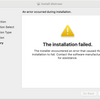


According to Corel Tech Support on 6/23/26.
The latest Toast 20 is only officially compatible up to macOS Sonoma. It is not officially supported on macOS 15 and higher versions. You can refer to the below link for the official system requirements:
https://www.roxio.com/en/products/toast/pro/#tech-specs