How to Upgrade from DaVinci Resolve Free to DaVinci Resolve Studio
How to Upgrade from DaVinci Resolve Free to DaVinci Resolve Studio
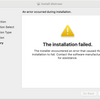
Upgrading from the free version of DaVinci Resolve to DaVinci Resolve Studio is simple and usually seamless. The key detail: Studio uses a different installer, so you’ll want to remove the free version first, then install Studio.


Before You Upgrade: Back Up Your Libraries (Recommended)
It’s rare to run into issues during the upgrade, but it’s smart to back up your project libraries just in case. If you’ve created custom libraries or databases, export a backup so you can restore quickly if needed.
Step-by-Step: Upgrade to DaVinci Resolve Studio
- Back up your libraries (recommended safety step).
- Uninstall DaVinci Resolve (Free) from your computer.
- Download DaVinci Resolve Studio (Studio uses a different download than the free version).
- Install Studio and enter your activation key when prompted.
- Open Resolve and confirm your libraries and projects appear normally.
Do I Need to Uninstall the Free Version?
Yes. The free and Studio versions do not share the same installer. Uninstalling the free version helps avoid conflicts and ensures you’re running the correct Studio build.
Can You Install Free and Studio on the Same Computer?
No. DaVinci Resolve Free and DaVinci Resolve Studio are not designed to run side by side on the same system. If you already have the free version installed, the recommended approach is to uninstall it first, then install the Studio version using the separate Studio installer.
While some advanced users on the Blackmagic Design forums have found ways to run multiple versions in parallel, this setup is not recommended by Blackmagic Design and can lead to licensing issues, database confusion, or unexpected behavior. For a stable and supported workflow, uninstalling the free version before installing Studio is the safest and officially supported method.
Will I Lose Projects or Settings?
In most cases, no. Resolve is typically very good about keeping your databases and projects intact. The backup step is simply a precaution—especially if the system is mid-production or you’ve created multiple libraries.
What You Get with DaVinci Resolve Studio
- Better performance with advanced GPU acceleration
- Studio-only tools like advanced noise reduction and neural engine features
- More finishing options for professional color and audio workflows
- Higher-end format support depending on your workflow
Ready to upgrade? Get DaVinci Resolve Studio from Coremicro
-
Posted in
Blackmagic Design, DaVinci Resolve Studio