




vMix Supported Video Capture Hardware for Live Production
Best Capture Cards for vMix in 2026 — Complete Compatibility & Buyer's Guide
Everything live production professionals need to choose the right capture hardware for vMix 29 — from plug-and-play USB devices to multi-channel PCIe workhorses and Thunderbolt enclosures.
- Why your capture card matters more than you think
- PCIe vs USB vs Thunderbolt — choosing your connection type
- Top capture card picks by use case
- Brand-by-brand breakdown
- Full vMix-compatible capture card table (2026)
- NDI & IP video as a capture alternative
- System requirements & GPU considerations
- Thunderbolt enclosures for laptop rigs
- FAQ
Every live production professional who has watched a stream die mid-show knows this truth: the capture card is where it all starts. No matter how powerful your CPU, how dialed your NVENC encoder, or how optimized your vMix preset — a mismatched or underspecced capture device will introduce dropped frames, sync drift, and signal dropouts that no amount of software can fix downstream.
vMix 29 (released October 2025) has expanded its hardware ecosystem significantly, adding full support for Open Media Transport (OMT), doubled overlay channels, and improved NDI stability. At the same time, NVIDIA's December 2025 driver update brought 12-stream NVENC support to GeForce RTX cards — meaning the rest of your chain needs to keep up. That includes the capture hardware you feed into vMix.
This guide cuts through the noise. We cover every vMix-compatible capture card brand available in 2026, explain which connection type fits your rig, and help you match hardware to your real production demands — whether you're running a single-camera church stream or a 8-input broadcast truck.
Why Your Capture Card Matters More Than You Think
vMix processes every source through its internal rendering pipeline, which means the incoming signal from your capture device is the very first point where signal integrity is established. A card with poor genlock, inconsistent timing, or driver bugs will inject frame-level errors that compound as vMix applies transitions, overlays, and output encoding.
Key vMix requirement: Any capture device not on the official supported hardware list may still work with vMix, provided it exposes DirectShow-compatible drivers. This covers most PCI Express, USB 3.0, and Thunderbolt-based hardware — but official support means the device has been tested for stability under real production load.
For HD productions at 1080p60, a single mid-range card is usually sufficient. For 4K productions, PCIe bandwidth and CPU thread availability become significant constraints. vMix itself recommends setting the Master Frame Rate to 29.97p or 25p for 4K when running on laptop hardware, acknowledging that 4K at 60p is genuinely demanding even on modern platforms.
The cards listed in this guide have all been verified on the official vMix supported hardware list and tested in real production workflows. We've added current pricing context, PCIe lane requirements, and use-case guidance that the official list doesn't include.
PCIe vs USB vs Thunderbolt — Choosing Your Connection Type
The interface between your capture device and your workstation determines latency, bandwidth ceiling, and portability. vMix supports all three major connection types — here's how to choose:
Pro tip: For laptop-based live production rigs, a Thunderbolt 3 enclosure (Akitio Node, Sonnet Echo Express, OWC Mercury Helios 3S) paired with a Blackmagic DeckLink card gives you near-desktop capture performance with full mobility. This is one of the most popular configurations among touring broadcast engineers.
Top Capture Card Picks by Use Case
Rather than listing specs in isolation, here are the hardware combinations that real vMix operators reach for in 2026, mapped to specific production scenarios:
USB 3.0, 1× HDMI input, true plug-and-play with no driver install on Windows 10+. Handles up to 4K30 or 1080p60 from any HDMI camera. The fastest path to getting a DSLR or mirrorless into vMix. Under $100.
PCIe x4, 4× 3G-SDI inputs, rock-solid drivers, and the lowest-latency SDI capture on the market. A mainstay in broadcast trucks and houses of worship. Available in HDMI variants too.
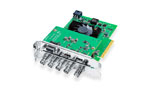
PCIe x8, 4× 12G-SDI I/O with full 4K support on every input. The most capable DeckLink card, capable of simultaneous capture, playback, and monitoring. Ideal for broadcast-grade vMix productions with demanding I/O requirements.
4× HD-SDI + 1× HDMI I/O over a single Thunderbolt 3 cable. Desktop-class performance in a portable form factor. Trusted by field operators and corporate AV crews who can't afford dropped inputs on location.
PCIe x8, 4× HDMI inputs, 4K capable. Exceptional value for HDMI-heavy productions — PTZ cameras, laptops, and HDMI-out devices. A go-to for conference AV and smaller broadcast setups.
PCIe x2, 1× 3G-SDI in + 1× out. The smallest-footprint professional SDI card. Fits in systems with minimal PCIe slots and adds reference-grade SDI capture to any vMix workstation build.
Brand-by-Brand Breakdown
AJA Video Systems
AJA produces some of the most trusted professional video I/O hardware in the industry. Their KONA series (PCIe) spans from the single-channel KONA 1 through the flagship KONA 5, which supports 4× 4K 12G-SDI simultaneously over a PCIe x8 slot. The Corvid series is aimed at developers and systems integrators needing flexible multi-channel configurations. For Thunderbolt users, the Io series — particularly the Io 4K Plus (T3) and Io X3 — delivers professional SDI and HDMI I/O in a portable chassis. AJA's U-TAP line provides affordable single-channel USB 3.0 capture in both HDMI and SDI flavors.
Blackmagic Design
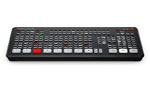
Blackmagic Design is arguably the most widely deployed brand in vMix productions. Their DeckLink series covers virtually every PCIe use case: the Mini Recorder 4K for single-channel HDMI/SDI, the Duo 2 for 4-channel HD-SDI, the Quad 2 for 8-channel HD-SDI, and the 8K Pro for 4× 4K 12G-SDI. The DeckLink Quad HDMI Recorder is a standout value pick for HDMI-based productions. Blackmagic's UltraStudio and Intensity lines cover Thunderbolt and PCIe HDMI/analog capture respectively. Note: the ATEM Mini can feed a USB signal directly into vMix as a single input — useful for compact hybrid setups.
Magewell
Magewell is the professional's choice for reliable multi-format capture with outstanding driver support. Their Pro Capture series (PCIe) handles SDI, HDMI, and DVI inputs in single, dual, and quad configurations. The USB Capture series — especially the USB Capture SDI 4K Plus — is the most popular USB SDI capture device for vMix workflows. Magewell's NDI converter products (Pro Convert line) also integrate cleanly with vMix's NDI input functionality, letting you bring SDI/HDMI sources into the vMix pipeline over Ethernet without any PCIe card at all.
Elgato
Elgato captures the budget and prosumer end of the vMix market. The Cam Link 4K (USB 3.0) is the most widely recommended entry point for bringing a DSLR or mirrorless camera into vMix. The Cam Link Pro (PCIe x4) expands this to 4× HDMI inputs. The HD60 X handles 1080p capture over USB 3.0 with HDR passthrough. For most single-camera and two-camera vMix setups where SDI isn't required, Elgato hits the right balance of price and reliability.
AVerMedia
AVerMedia offers strong coverage across USB and PCIe form factors. The Live Gamer 4K (GC573) and Live Gamer Ultra 2.1 (GC553G2) support 4K capture over PCIe x4 and USB 3.2 Gen 2 respectively. The CL314H1 provides 4× HDMI inputs on a single PCIe x4 card — a cost-effective alternative to the Blackmagic Quad HDMI for HDMI-heavy installs.
Epiphan Systems
Epiphan's AV.io series (USB 3.0) handles HDMI, SDI, DVI, and VGA inputs across multiple models. The AV.io 4K and AV.io SDI are particularly popular in corporate AV and government broadcast environments where multi-format source compatibility is critical. Epiphan also offers PCIe options via their DVI2PCIe Duo, which accepts both HD-SDI and HDMI/DVI/VGA simultaneously on one card.
Bluefish444
Bluefish444's KRONOS K8 and Epoch series are high-channel-count SDI PCIe cards for broadcast-grade installations. The K8 delivers 8× HD-SDI I/O on a single x8 card, making it one of the highest-channel-density options on the vMix-supported list. A specialized choice, but the right one for large input-count vMix Max configurations.
Full vMix-Compatible Capture Card Table (2026)
The table below covers all brands and models officially listed on the vMix supported hardware page, with connection interface and PCIe lane requirements. Coremicro product links are included where available.
| Model | Inputs | Interface / Slot |
|---|---|---|
| AJA Video Systems | ||
| Corvid 44 12G 4K | 4× HD-SDI or 4× 4K In/Out | PCIe x8 |
| Corvid 44 | 4× HD-SDI In or Out | PCIe x8 |
| Corvid 88 | 8× HD-SDI or 2× 4K (Quad Link) | PCIe x8 |
| Io 4K 4K | 4× HD-SDI I/O, 1× HDMI I/O | Thunderbolt 2 |
| Io 4K Plus 4K | 4× HD-SDI I/O, 1× HDMI I/O or 1× 4K I/O | Thunderbolt 3 |
| Io X3 | 4× HD-SDI I/O, 1× HDMI I/O | Thunderbolt 3 |
| Io XT | 2× HD-SDI I/O, 1× HDMI I/O | Thunderbolt 1 |
| KONA HDMI 4K | 4× HD HDMI or 2× 4K HDMI Input | PCIe x8 |
| KONA 1 | 1× HD-SDI In + 1× HD-SDI Out | PCIe x2 |
| KONA 4 4K | 4× HD-SDI In or Out | PCIe x8 |
| KONA 5 4K | 4× HD-SDI or 4× 4K In/Out | PCIe x8 |
| KONA LHi | Analog In, HD-SDI & HDMI I/O | PCIe x4 |
| T-TAP 4K | HD-SDI + HDMI Out up to 4K | Thunderbolt 3 |
| U-TAP | HD-SDI or HDMI | USB 3.0 |
| AVerMedia | ||
| Live Streamer Cap 4K (BU113) 4K | 1× HDMI | USB 3.0 |
| Live Gamer DUO (GC570D) | 2× HDMI | PCIe x4 |
| Live Gamer 4K (GC573) 4K | 1× HDMI | PCIe x4 |
| Live Gamer ULTRA (GC553) 4K | 1× HDMI | USB 3.1 Type-C |
| Live Gamer ULTRA 2.1 (GC553G2) 4K | 1× HDMI | USB 3.2 Gen 2 Type-C |
| CL314H1 | 4× HDMI | PCIe x4 |
| CL511HN 4K | 1× HDMI | PCIe x4 |
| CL311-M2 | 1× HDMI | PCIe x1 |
| Dark Crystal (CD110) | 1× SDI | PCIe x1 |
| ExtremeCap UVC | 1× HDMI | USB 3.0 |
| Live Gamer HD 2 (GC570) | 1× HDMI | PCIe x1 |
| DarkCrystal 750 (CD750) | 1× HDMI | USB 3.0 |
| DarkCrystal HD Capture SDK | 1× HDMI | PCIe x1 |
| Live Gamer HD (C985) | HDMI or DVI | PCIe x1 |
| DarkCrystal HD SDK II (C729) | HDMI + Analog | PCIe x1 |
| Blackmagic Design | ||
| DeckLink Quad HDMI Recorder 4K | 4× HDMI In | PCIe x8 |
| ATEM Mini (USB mode) | 1× USB video into vMix | USB |
| DeckLink 8K Pro 4K | 4× 12G-SDI I/O | PCIe x8 |
| DeckLink Quad 2 | 8× HD-SDI I/O | PCIe x8 |
| DeckLink Duo 2 | 4× HD-SDI I/O | PCIe x4 |
| DeckLink Mini Recorder 4K 4K | 1× SDI or HDMI In | PCIe x4 |
| DeckLink Mini Monitor 4K 4K | 1× SDI + HDMI Out | PCIe x4 |
| DeckLink 4K Extreme 4K | SDI or HDMI | PCIe x4 |
| Intensity Extreme | HDMI or Analog | Thunderbolt 1 |
| Intensity Pro 4K 4K | Single HDMI or Analog | PCIe x4 |
| Intensity Shuttle TB | HDMI or Analog | Thunderbolt 1 |
| UltraStudio Mini Recorder | HD-SDI or HDMI | Thunderbolt 1 |
| UltraStudio Series | Varies by model | Thunderbolt (T1–T3) |
| Bluefish444 | ||
| KRONOS K8 | 8× HD-SDI In or Out | PCIe x8 |
| Epoch | 4K Supernova 4K | 4× HD-SDI In or Out | PCIe x8 |
| Epoch | 4K Supernova S+ | 4× HD-SDI In or Out | PCIe x8 |
| Epoch | 4K Neutron | 2× HD-SDI In or Out | PCIe x8 |
| Epoch | Neutron | 2× HD-SDI In or Out | PCIe x8 |
| Elgato | ||
| Game Capture NEO | 1× HDMI | USB 3.0 |
| HD60 X 4K | 1× HDMI | USB 3.0 |
| Cam Link Pro 4K | 4× HDMI | PCIe x4 |
| Cam Link 4K 4K | 1× HDMI | USB 3.0 |
| 4K 60 PRO Mk.2 4K | 1× HDMI | PCIe x4 |
| HD 60 S+ | 1× HDMI | USB 3.1 Type-C |
| Cam Link (progressive sources only) | 1× HDMI | USB 3.0 |
| HD 60 PRO | 1× HDMI | PCIe x1 |
| Epiphan Systems | ||
| AV.io 4K 4K | HDMI | USB 3.0 |
| AV.io SDI | SDI | USB 3.0 |
| AV.io HD | HDMI, DVI, VGA | USB 3.0 |
| DVI2USB 3.0 | HDMI, DVI, VGA | USB 3.0 |
| SDI2USB 3.0 | HD-SDI | USB 3.0 |
| DVI2PCIe | HDMI, DVI, VGA | PCIe x1 |
| DVI2PCIe Duo | 1× HD-SDI + 1× HDMI/DVI/VGA | PCIe x4 |
| Magewell | ||
| USB Capture 4K Plus 4K | HD-SDI or HDMI | USB 3.0 |
| Pro Capture Series | HD-SDI, HDMI, DVI (varies) | PCIe |
| AIO 4K Plus 4K | 1× HDMI | PCIe |
| XI100DE-4K 4K | HDMI or DVI | PCIe x4 |
| USB Capture HDMI / SDI (XI100DUSB) | HD-SDI or HDMI | USB 3.0 |
| XI006AUSB | 6× Analog | USB 3.0 |
| XI204XE | 2× HDMI / Component, 4× Analog | PCIe x4 |
| XI400DE | 4× HD-SDI or HDMI | PCIe x4 |
| Osprey by Variosystems | ||
| Osprey 845e | 4× HD-SDI | PCIe x4 |
| Osprey 825e | 2× HD-SDI | PCIe x4 |
| Osprey 815e | 1× HD-SDI | PCIe x1 |
| Osprey 820e | 2× HDMI / DVI / VGA / Analog | PCIe x4 |
| Osprey 100e / 210e / 260e / 460e | Up to 4× Analog | PCIe x1 |
| YUAN High-Tech | ||
| SC720N4-HDMI2.0 4K | 4× HDMI | PCIe x8 |
| SC710N4-HDMI 4K | 4× HDMI | PCIe x8 |
| SC710N1-HDMI 4K | 1× HDMI | PCIe x4 |
| SC710N1 12G-SDI 4K | 1× 12G-SDI | PCIe x4 |
| SC410N4-HDMI 4K | 4× HDMI | PCIe x4 |
| PD570 PRO 4K 4K | HDMI | USB 3.0 |
| PD570 PRO | HD-SDI or HDMI | USB 3.0 |
| SC5A0 N8 | 8× HD-SDI | PCIe x4 |
| SC5C0 N4 Series | 4× HD-SDI or 4× HDMI | PCIe x4 |
| SC542 N4 Series | 4× HD-SDI or 4× HDMI | PCIe x4 |
| SC542 N2 Series | 2× HD-SDI or 2× HDMI | PCIe x4 |
| SC542 N1 Series | 1× HD-SDI / HDMI / DVI / Component | PCIe x1 |
| SC400N4-HDMI | 4× HDMI | PCIe x4 |
| Other Verified Brands | ||
| Cougar Envision 4K | 1× HDMI | USB 3.2 Type-C |
| Datapath Vision Series | HD-SDI / HDMI / DVI / RGB | PCIe x4 or x8 |
| Deltacast DELTA-3G / DELTA-HD | 3G-SDI / HD-SDI | PCIe x4 |
| INOGENI 4K2USB3 4K | 1× HDMI | USB 3.0 |
| INOGENI SHARE | 1× HDMI + 1× HDMI/DVI/VGA | USB 3.0 |
| Stream Labs MH4LM | 4× HD-SDI or Analog | PCIe x4 |
| Teradek CUBE Series | HDMI or HD-SDI | IP Streaming |
| Teradek BOLT Series | HDMI or HD-SDI | USB 3.0 |
Source: vMix Official Supported Hardware List — verified July 2026
NDI & IP Video as a Capture Alternative
For many modern vMix workflows, a physical capture card in every location is no longer necessary. NDI (Network Device Interface) allows vMix to receive SD, HD, and 4K video directly from any NDI-compatible device or PC on the local network — no capture card required at the receiving end.
vMix 29 expanded this capability further with native support for OMT (Open Media Transport), an open-source protocol designed for high-quality, low-latency video over local networks. vMix also supports SRT (Secure Reliable Transport) for internet-routed sources, enabling remote camera inputs from anywhere in the world.
- NDI sources appear in vMix exactly like camera inputs — with transition, overlay, instant replay, and MultiCorder support
- vMix 4K, Pro, and Max editions can send up to 4 independent NDI outputs simultaneously
- The free vMix Desktop Capture application turns any Windows PC into an NDI source, enabling screen-share without any hardware
- Magewell's Pro Convert series and similar NDI converters bridge physical SDI/HDMI sources onto the network — effectively replacing a capture card with a network appliance
NDI for Instant Replay: NDI sources are fully supported in vMix Instant Replay as long as they share the same format as the current Replay Session. This enables multi-camera replay workflows without a single PCIe card in the switcher PC.
System Requirements & GPU Considerations for vMix Capture
Your capture card choice should be matched to your overall system capability. Running a Blackmagic DeckLink 8K Pro in a system without adequate PCIe bandwidth, CPU threads, or GPU VRAM will create bottlenecks that the card itself cannot solve.
Minimum system requirements by production tier
- 1080p HD (2–4 cameras): Core i7 / Ryzen 7, 16 GB RAM, NVIDIA RTX 3060 or better, PCIe x4 slot, USB 3.0 ports
- 1080p HD (8+ cameras): Core i9 / Ryzen 9 / Threadripper, 32 GB RAM, NVIDIA RTX 4070 or better, multiple PCIe x4/x8 slots
- 4K (up to 4 cameras, 30p): Core i9 or HEDT platform, 64 GB RAM, NVIDIA RTX 4080 / RTX 5080 or better, PCIe x8 slot required for flagship DeckLink / KONA cards
NVENC hardware encoding with vMix 29
NVIDIA's December 2025 driver update (591.44 WHQL) expanded NVENC hardware encode sessions to 12 simultaneous streams on supported GeForce RTX cards — confirmed on the RTX 5070 with vMix 29. This matters because vMix can now run dual recordings, MultiCorder, multiple SRT outputs, and streaming all with hardware encoding enabled simultaneously, dramatically reducing CPU load. The practical benefit: more CPU headroom for processing high-channel-count capture inputs.
4K frame rate warning: vMix officially warns that 59.94p / 50p productions will experience performance issues on laptops without a MUX switch or G-Sync. For 4K productions on mobile hardware, setting the vMix Master Frame Rate to 29.97p or 25p is strongly advised.
Need help specifying a complete vMix workstation? Coremicro builds Blackmagic Design-certified workstations configured and tested for vMix workflows — including GPU selection, PCIe slot allocation, and storage tuning for high-frame-rate recording.
Thunderbolt Enclosures for Laptop Rigs
One of the most powerful tricks in the live production toolkit is using a Thunderbolt 3 PCIe enclosure to run a full PCIe capture card from a high-performance laptop. This gives you desktop-class capture on a rig that can fly across the country and be operational in under 20 minutes.
All four of the following enclosures are officially supported by vMix, and all work with AJA, Blackmagic Design, Bluefish444, and Magewell PCIe cards (x1 to x4 form factor):
- Akitio Node Series — compact, bus-powered option for x1–x4 PCIe cards
- Magma ExpressBox Series — multi-slot chassis for operators needing more than one card on location
- OWC Mercury Helios 3S — popular among Mac and Windows live operators for its rugged build and TB3 stability
- Sonnet Echo Express Series — available in 1-slot, 2-slot, and 3-slot configurations, widely trusted in broadcast
Key constraint: Thunderbolt enclosures support PCIe x1 to x4 cards only. Cards requiring x8 slots (like the Blackmagic 8K Pro or AJA KONA 5) must be installed in a desktop system with a full-size x8 slot. Verify your card's lane requirement before specifying a Thunderbolt enclosure solution.
Frequently Asked Questions
Does vMix work with any capture card not on the official list?
Yes — vMix will work with any capture device that exposes DirectShow-compatible drivers. This covers the vast majority of USB 3.0, PCIe, and Thunderbolt-based capture hardware. However, unlisted devices may have driver stability issues or timing quirks under production load. For mission-critical work, stick to verified hardware.
Can I run multiple capture cards in one vMix system?
Absolutely. Multi-card configurations are common in professional vMix setups. You might run a Blackmagic DeckLink Duo 2 for SDI cameras alongside an Elgato Cam Link 4K for HDMI sources, for example. The only practical limits are PCIe slot availability, CPU bandwidth, and the vMix license tier (vMix Max supports the highest input counts).
What's the difference between DirectShow and dedicated SDK capture in vMix?
Most consumer and prosumer USB capture devices appear to vMix as DirectShow sources — the same way a webcam does. Professional cards from AJA, Blackmagic, and Magewell use their own SDK/driver stack that gives vMix deeper control over signal properties, genlock, and audio synchronization. This is why professional cards typically offer lower latency and more stable timing than generic DirectShow devices at the same resolution.
Does vMix support HDCP-protected HDMI sources?
No. HDCP (High-bandwidth Digital Content Protection) prevents capture of protected content such as Blu-ray playback and some streaming apps on game consoles. Your source device must have HDCP disabled or output an unprotected HDMI signal for capture to work. Most professional cameras, switchers, and presentation laptops do not use HDCP on their output.
What capture cards work best for vMix Instant Replay?
Instant Replay in vMix works exclusively with cameras connected via capture card (PCIe, Thunderbolt, or USB 3.0) and NDI sources. Webcams and IP cameras are not directly supported. For Instant Replay, high-frame-rate sources (120 FPS and above) require specialized cameras and capture cards — confirm frame rate support with your specific card before planning a slow-motion replay workflow.
Conclusion: Build Your vMix Capture Chain Right the First Time
Choosing the right vMix capture card in 2026 means matching your connection type to your rig, your channel count to your production size, and your hardware tier to your budget — without over-specifying for workflows that don't require it. Here's a quick decision framework:
- Single HDMI camera, any budget: Elgato Cam Link 4K (USB) or Blackmagic DeckLink Mini Recorder 4K (PCIe)
- Multi-SDI, fixed studio: Magewell Pro Capture Quad SDI or AJA KONA 5 (PCIe x8)
- Multi-HDMI, value-focused: Blackmagic DeckLink Quad HDMI Recorder or AVerMedia CL314H1
- Mobile / touring: AJA Io 4K Plus in a Sonnet Echo or OWC Mercury Helios 3S enclosure
- Network-first workflow: NDI cameras + Magewell Pro Convert for any remaining HDMI/SDI sources
If you're building a complete vMix production system — not just the capture card, but the GPU, storage, CPU, and workstation chassis — Coremicro can help. We're an authorized Blackmagic Design reseller and build vMix-optimized systems tuned for real broadcast workflows.
Ready to Build Your vMix Production Rig?
Browse our full selection of vMix-compatible capture hardware from AJA, Blackmagic Design, Magewell, and more — or contact our team for a custom workstation quote.
Shop Blackmagic Design Shop AJA Shop Magewell