Why Should I use Blackmagic DaVinci Resolve
Video Production · Software Review
Why DaVinci Resolve is the
only editor you need
It started as Hollywood's best-kept secret for color grading. Now it's a complete production suite — and the most compelling free software in any creative field.

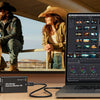
DaVinci Resolve — the industry standard for professional color grading, now a full post-production suite.
The case for it
One tool. Every stage of post-production.
Most editing software forces a choice: power or accessibility. DaVinci Resolve refuses the trade-off. Whether you're cutting a short film, scoring a podcast, or grading a commercial, it handles every stage of the workflow in a single application — without compromise.
The result is something genuinely rare: a tool that never becomes the bottleneck. Edit, color correct, composite, and mix audio, all without switching windows or exporting between programs.
The Cut & Edit pages
Two editing environments: one optimized for speed, one for precision. Both are among the most capable in the industry.
Color — still unmatched
From basic exposure corrections to node-based secondaries, power windows, and 3D keying. Nothing else comes close.
Fairlight audio
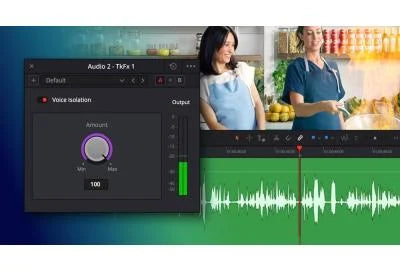
A full DAW built in. Record, edit, mix, and master — reverb, compression, EQ, and a complete set of professional effects.
Fusion VFX
Node-based compositing, motion graphics, and motion tracking — the same engine used on Hollywood features.
"Anything you want — colour grading, audio editing, or motion graphics — all within reach in a single application."The DaVinci Resolve promise
Color tools
The gold standard for grading

Long before it became a full editing suite, DaVinci was the name colorists trusted on feature films and broadcast television. The color page hasn't been diluted — it's more capable than ever, spanning basic corrections all the way to parallel node trees, HDR grading, and AI-assisted color matching.
- ✓Node-based non-destructive workflow
- ✓Advanced curves, secondaries, and qualifiers
- ✓3D object keying and tracking
- ✓Full HDR and wide-gamut support
- ✓AI-powered color matching
Collaboration
Built for teams, not just solo editors

On large productions — documentaries, television series, feature films — multiple artists need to work simultaneously. DaVinci Resolve's multi-user collaboration makes it possible: an editor assembles the cut while a colorist grades completed scenes and a sound designer mixes audio in Fairlight, all in real time, without waiting for anyone else to export.
Pricing
Free is not a trial. It's the full product.
The free version of DaVinci Resolve is not a stripped-down demo. It's a fully professional application that the vast majority of editors — including working professionals — never need to upgrade beyond. When you're ready to go further, Studio unlocks the full feature set with a single one-time purchase.
DaVinci Resolve
$0
Forever free. No watermarks, no limits on output quality.
Most editors never need moreDaVinci Resolve Studio
$325
One-time purchase. Advanced noise reduction, HDR tools, AI features, and the collaboration server.
Activation key · immediate deliveryAvailable at Coremicro
DaVinci Resolve Studio — Activation Key
$325.00 · Blackmagic Design · In stock
The verdict
Software that grows with you
DaVinci Resolve serves every point on the learning curve — from a first edit to a feature film finish. There's no ceiling to hit, no reason to migrate, and no subscription standing between you and professional-grade work. If you haven't looked seriously at it yet, now is the time.
-
Posted in
Blackmagic Design