








Product Highlights
- Physical Program / Preview buttons with real T-Bar transitions
- Supports NDI|HX and High Bandwidth NDI sources
- Up to 10 live inputs (device performance dependent)
- Stream to Facebook Live, RTMP, and RTMPS (up to 3 destinations)
- Built-in titles, stingers, overlays, and PIP


BirdDog MAKI Studio Control Surface
- SKU:
- BDMK-CS
- MPN:
- BDMK-CS
Product Inquiry Form
Description
Product Overview
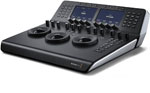
The MAKI Studio Control Surface is an iPad-based live production system designed for operators who want real switching control, not just a touchscreen approximation of it. It pairs the MAKI Studio app with a dedicated Bluetooth control surface, giving you physical Program and Preview buttons and a proper T-Bar for transitions.
In practice, this changes how a show runs. Instead of hunting for virtual buttons on glass, your hands stay on hardware. Cuts land cleanly. Transitions feel intentional. You spend less time fighting the interface and more time paying attention to timing, audio, and framing.
Highlights
- Physical switching controls: 6 Program and 6 Preview buttons for fast, repeatable cuts
- T-Bar transitions: manual fades and moves with predictable timing
- NDI workflows: supports both NDI|HX and High Bandwidth NDI inputs
- Integrated graphics tools: stingers, titles, network bugs, and picture-in-picture
- Multi-destination streaming: stream to up to 3 platforms at the same time
Quick Specs & Practical Uses
- Control surface: Bluetooth LE with USB-C power in and USB-C power out
- Live inputs: up to 10 sources (iPad or iPhone processor dependent)
- Video sources: NDI|HX, High Bandwidth NDI, onboard camera, supported UVC webcams
- Streaming outputs: Facebook Live, RTMP, RTMPS
- Output options: HDMI, Apple AirPlay, and NDI (workflow dependent)
- Streaming quality: selectable, roughly 3 Mbps to 9 Mbps
- Resolution range: approximately 428 × 240 up to 1920 × 1080
- Supported OS: iOS 16.6 or later
Real-World Switching Notes
Touchscreens work until things get busy. When you are watching talent, audio meters, timers, and cues at the same time, physical buttons reduce mistakes. The T-Bar is not a gimmick — it lets you pace transitions to music or dialogue instead of relying on fixed auto fades. This is where MAKI Studio feels closer to traditional broadcast gear than most app-based switchers.
Image & Production Quality Notes
Video quality is largely determined by the iPad hardware and the type of NDI sources used. High Bandwidth NDI delivers better image fidelity when the network allows it, while NDI|HX keeps bandwidth under control in shared or mobile environments.
As with any software switcher, stability improves when the iPad is treated like production hardware: a dedicated device, adequate cooling, and no background apps.
Connectivity & Workflow
MAKI Studio is built for IP-centric workflows. NDI sources drop in cleanly without capture cards, and outputs are flexible enough for classrooms, conference rooms, and small venues.
Streaming is handled directly inside the app, reducing external dependencies and simplifying setup for crews that want fewer points of failure.
Control Surface & App Behavior
The MAKI Studio app requires the Bluetooth control surface to launch and operate. This is intentional. The system is designed around tactile control, not touch-only operation.
Minimum supported iPads will run the app, but recommended models provide noticeably better responsiveness and headroom for multiple inputs and streaming destinations.
Why It Helps
MAKI Studio removes friction from small productions. When switching feels predictable, shows run cleaner. Operators make fewer mistakes, transitions land better, and rehearsals move faster.
For schools, houses of worship, corporate rooms, and mobile crews, it delivers broadcast-style control without the size, cost, or complexity of a rack-based switcher.
What’s In The Box
Package contents vary by configuration. Please refer to the What’s Included section for exact items.
Trusted Seller
Purchase from Coremicro with confidence. Fast U.S. shipping and support from a team that works with professional video systems every day.
Specifications
BirdDog MAKI Studio Control Surface Specifications
Reviews
What's included
Included on BirdDog MAKI Studio Control Surface
| Product Specifications | |
|---|---|
Video Outputs |
|
Product Specific Misc Product Specs
|
|
Network |
|
Streaming |
|
Operating Systems |
iOS
|
| Power Specifications | |
Power I/O |
|
| Physical / Environmental Specifications | |
Dimension |
|
Environment |
|
Warranty |
|
UPC / GTIN |
9354873001352
|