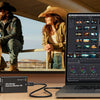





vMix Software Comparison Table

vMix Software Editions Compared (2026): Which License Is Right for Your Live Production?
Choosing the wrong vMix edition wastes money — or leaves you missing a critical feature mid-broadcast. This guide compares every vMix 29 license in plain language: what each tier unlocks, which workflows it fits, and exactly where the real upgrade triggers are.
vMix is a Windows-based live production platform that has earned a reputation as one of the most capable software switchers at any price point. Version 29 — released October 2025 — doubled overlay channels to eight, added Open Media Transport (OMT) support, and improved Instant Replay CPU performance by up to 50%. Whether you are streaming a church service, covering an esports tournament, or running a multi-camera broadcast studio, there is an edition sized for your workflow.
The Five vMix Editions at a Glance
vMix licenses are lifetime purchases (except Max). Every new license includes 12 months of free version updates. After that window, you keep your current version indefinitely or pay a $60 upgrade fee for another year of updates — there is no forced subscription. The five editions and their current Coremicro prices:
Each edition is a strict superset of the tier below it — you never lose a capability by upgrading. You can also move up at any time by paying only the price difference between your current and target edition.
vMix Basic HD — Entry-Level Live Streaming
vMix Basic HD is the most accessible paid license. Despite its entry price, it ships with a real-time color corrector, professional title templates via GT Designer Standard, playlist support, and the ability to record and stream simultaneously — capabilities many competing tools reserve for higher tiers.
The hard limits to understand before buying:
- 4 total inputs — only 3 can be cameras or NDI/SRT sources
- 1080p maximum output resolution
- 1 overlay channel and 1 stinger
- No vMix Call — remote guest support not included
- No Instant Replay, MultiCorder, Scripting, or PTZ control
- 1 SRT output
- Single recorder (not dual)
Want Basic HD bundled with a capture interface? Coremicro offers the Switchblade HDMI to USB 3 with vMix Basic HD and Switchblade SDI to USB 3 with vMix Basic HD — both at $280, pairing the license with a hardware input converter in a single purchase.
vMix HD — Multi-Camera HD Productions
vMix HD removes the input ceiling entirely — you can connect up to 1,000 total inputs with no separate cap on cameras or NDI sources. It retains the 1080p output ceiling but adds critical workflow tools: 8 overlay channels (new in vMix 29), two simultaneous recorders, Video List for playlist automation, and basic Zoom integration with one Zoom input. It also adds one vMix Call slot for remote guest capability.
One surprise for buyers: vMix HD does not include Instant Replay or MultiCorder. Those features begin at the 4K tier. HD is 1080p only — if you need 4K output, the HD tier is a ceiling, not a stepping stone.
Coremicro also stocks the vMix HD Software with Six Virtual Sets ($735) and capture bundles including the Switchblade HDMI to USB 3 with vMix HD ($545) and Switchblade SDI to USB 3 with vMix HD ($545).
vMix 4K — The Professional Sweet Spot
vMix 4K is where the feature set crosses from "capable" to "broadcast-ready." The most significant unlocks over HD:
- 4K output up to 4096 × 2160
- MultiCorder — ISO-records each camera to its own file simultaneously
- Instant Replay — single-camera replay with slow motion and highlight reels
- 4 vMix Call guests — browser-based callers with automatic mix-minus audio
- 4 SRT outputs (up from 1 in Basic HD/HD)
- Two fullscreen outputs and four external outputs
- Four virtual outputs
- Mix Input — up to 15 independent sub-mixers within a single production
- Vertical HD (1920p) preset for mobile-first vertical streaming
- Telestrator — draw and annotate over live video via any browser-connected device
- GT Designer Advanced — custom animated titles and Photoshop (.PSD) file import
- VB.NET Scripting and PTZ camera control
- Zoom integration with multiple inputs
Coremicro offers the vMix 4K Software with Six Virtual Sets ($1,080) — ideal for productions using green screen or virtual studio backdrops.
vMix Pro — Broadcast-Grade Live Production
vMix Pro is the flagship desktop edition, aimed at professional sports broadcasters, television studios, and large-scale live events where reliability, automation, and multi-camera replay are non-negotiable. Key upgrades over 4K:
- 8-camera Instant Replay — continuous 4:2:2 recording across eight sources simultaneously, with 2-channel independent playback, Quad View monitor mode (new in v29), slow-motion 0–100%, reverse playback, and highlight reel export
- Multi-drive replay storage — distribute camera recordings across separate drives (new in v29)
- 8 vMix Call guests
- Full PTZ camera control for compatible robotic camera systems
- VB.NET scripting for deep automation, timed show rundowns, and API integrations
vMix PRO Live Production Software
Lifetime license · 8-camera Instant Replay · 8 Call guests · VB.NET scripting · PTZ control · 4K output
vMix Max — The Subscription Option
vMix Max at $50/month is the only subscription license. Feature-for-feature it is identical to vMix Pro — same 8-camera replay, 8-guest Call capacity, scripting, and PTZ access. The key difference: Max subscribers always receive the latest version automatically, with no separate upgrade fees.
Max makes financial sense when you prefer spreading cost monthly, always want the latest version the moment it ships, or are evaluating a Pro workflow before committing to a lifetime purchase. After roughly 24 months of Max payments, a one-time Pro lifetime license becomes more economical for most operators.
Key Features Deep Dive
Inputs and Resolution
Basic HD is the only edition with a hard input ceiling: 4 total, with 3 available for cameras or NDI sources. All other editions support up to 1,000 inputs with no separate camera cap. Resolution tops out at 1080p for Basic HD and HD; the 4K, Pro, and Max editions support up to 4096 × 2160. If your cameras, capture cards, or deliverables are 4K, the 4K tier is the minimum viable license.
vMix Call — Remote Guests Over Browser
vMix Call lets remote participants join via any modern browser with no extra software. Guests receive a mix-minus audio feed automatically, eliminating echo in the program output. Basic HD does not include vMix Call. HD supports one caller. The 4K edition supports four simultaneous callers, and Pro/Max supports eight. Guests can return video up to 1080p HD with NDI support and per-guest audio mixing.
Overlay Channels and Stingers
One of vMix 29's most impactful changes: overlay channels doubled from 4 to 8 in the HD, 4K, Pro, and Max editions. Each overlay channel operates independently with its own transition effect, position, and border settings. Stinger transitions also expanded to 8, enabling complex branded transitions without workarounds. Basic HD retains a single overlay channel.
Instant Replay and MultiCorder
Instant Replay is absent from Basic HD and HD — it starts at the 4K tier with single-camera capability. Pro and Max unlock 8-camera simultaneous replay, recording continuously in vMix AVI 4:2:2 format at resolutions up to 4K. The system supports 2 independent playback channels, 20 event lists with unlimited mark points, Quad View monitoring (new in v29), slow-motion from 0–100%, reverse playback, and highlight reel creation with background music. vMix 29 also adds multi-drive storage support, letting each camera's recording land on a separate drive for sustained performance in long-form events.
MultiCorder — available in 4K, Pro, and Max — records ISO files from each camera simultaneously. In vMix 29, MultiCorder can record directly via OMT without re-encoding, saving significant CPU headroom during complex productions.
Streaming Destinations and SRT
Every vMix edition supports up to five simultaneous streaming destinations (increased from three in vMix 28). SRT outputs are limited to one in Basic HD and HD, expanding to four in 4K, Pro, and Max. Modern NVIDIA GeForce RTX 50-series cards with the December 2025 drivers now support up to 12 NVENC hardware encoder sessions simultaneously — enough to run dual recording, MultiCorder, SRT, Telestrator, and multiple streams entirely in hardware.
Scripting, Automation, and PTZ Control
VB.NET scripting is available from the 4K tier upward, enabling full programmatic control — timed transitions, show rundowns triggered by timecode, integration with external data sources, and custom shortcut logic. PTZ camera control (supporting a wide range of robotic camera systems) is also unlocked from 4K upward.
GT Designer — Titles and Graphics
All editions include GT Designer Standard: over 100 animated title templates, scoreboards, tickers, and social overlays in HD and 4K. The 4K, Pro, and Max tiers additionally unlock GT Designer Advanced, enabling fully custom animated title creation and direct import of Photoshop (.PSD) files. For branded productions where standard templates fall short, Advanced is the key differentiator. Coremicro also sells the vMix 6 Virtual Sets add-on ($495), compatible with Basic HD, 4K, and Pro editions.
What's New in vMix 29 (October 2025)
vMix 29 is a free update for anyone who purchased after January 1, 2023, or within their 12-month update window. Max subscribers receive it automatically. The headline changes:
- 8 overlay channels and 8 stingers — doubled from 4 in all editions from HD and above
- Open Media Transport (OMT) — open-source protocol for high-quality, low-latency local network video; supports 4K and high frame rates; records directly to Instant Replay and MultiCorder without re-encoding
- Replay CPU improvement — recording and playback CPU usage reduced by up to 50%
- Quad View in Replay — view four camera angles simultaneously via Replay MultiView (Pro/Max)
- Multi-drive Replay storage — configure separate drives for individual camera recordings (Pro/Max)
- GO button — replaces Quick Play with a fully programmable per-input action launcher
- 5 new audio bus configurations — AB, CD, DE, ABCD, and DEFG; all bus options selectable for MultiCorder
- NVIDIA GeForce NVENC expansion — December 2025 drivers enable up to 12 hardware encoder sessions on supported RTX cards (RTX 5070 and above confirmed)
Upgrade Paths — Pay Only the Difference
Already own a vMix license and want more features? Coremicro stocks every edition-to-edition upgrade key so you only pay the price difference:
- Basic HD → HD Upgrade — $290
- Basic HD → 4K Upgrade — $640
- HD → 4K Upgrade — $350
- HD → Pro Upgrade — $850
- 4K → Pro Upgrade — $500
Upgrade keys are delivered electronically — enter the key in your existing vMix installation to instantly unlock the higher edition's features with no reinstall required.
vMix Software Bundles & Production Systems
Beyond standalone licenses, Coremicro carries a full range of vMix-powered hardware systems for operators who want software and hardware integrated and pre-tested:
Switchblade Systems — Portable and Rackmount Switchers
- Switchblade Rayzor vMix HD — Four SDI Inputs ($3,995) — portable vMix HD switcher
- Switchblade Rayzor X5 vMix 4K — Four SDI + One 4K HDMI ($4,995) — 4K live production in a portable form factor
- Switchblade Rayzor Replay vMix Pro — Four SDI Inputs ($5,995) — Pro license with full Instant Replay capability
- Switchblade 2U vMix HD — Four HDMI Inputs ($4,995) — rackmount 2U form factor
- Switchblade 2U vMix HD — Four SDI Inputs ($4,995)
- Switchblade 2U vMix HD — 8-Input Mini SDI System ($5,995)
- Switchblade 4U vMix HD — Four SDI + Four HDMI ($7,995)
- Switchblade 4U vMix HD — 8-SDI Full-Size Inputs ($7,995)
- Switchblade 4U vMix HD — 8x HDMI Inputs ($7,995)
- Switchblade 4U vMix HD — Eight SDI + Four HDMI ($8,495)
- Switchblade 4U vMix HD — 12x SDI Full-Size Inputs ($8,495)
- Switchblade 4U vMix 4K — Four 4K HDMI Inputs ($7,995)
- Switchblade 4U vMix 4K — Four 6G-SDI Inputs ($12,995)
- Switchblade Turbo X — Portable All-In-One vMix 4K Switcher ($11,995)
- Switchblade Turbo Elite Plus — Portable vMix Production System ($16,995)
vMix-Branded Systems
- vMix GO Plus Portable Live Production System ($12,795) — a complete portable production rig built and certified by vMix
- vMix Production BOT Rack 1U ($6,795) — rackmount production server
Control Surfaces
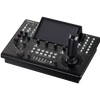
- SKAARHOJ Air Fly for vMix ($1,549) — compact wireless control surface with tactile buttons
- ACME Control Surface for vMix ($1,795) — full-featured physical production panel
- JVC RM-LP350G vMix Control Surface ($1,225) — desktop controller for JVC KM-IP8 series switchers
- JVC RM-LP450G vMix Instant Replay Control Surface ($1,695) — dedicated slow-motion and replay panel for sports production
Full vMix 29 Feature Comparison Table
| Feature |
Basic HD $57 |
HD $332.50 |
4K $665 |
Pro $1,140 |
Max $50/mo |
|---|---|---|---|---|---|
| Licensing | |||||
| License type | Lifetime | Lifetime | Lifetime | Lifetime | Monthly sub |
| Free updates included | First 12 mo | First 12 mo | First 12 mo | First 12 mo | While subscribed |
| Inputs & Resolution | |||||
| Total inputs | 4 | 1,000 | 1,000 | 1,000 | 1,000 |
| Camera / NDI inputs | 3 | 1,000 | 1,000 | 1,000 | 1,000 |
| Maximum resolution | 1920×1080 | 1920×1080 | 4096×2160 | 4096×2160 | 4096×2160 |
| Vertical HD (1920p) | ✕ | ✕ | ✔ | ✔ | ✔ |
| Graphics & Overlays | |||||
| Overlay channels v29: ×2 | 1 | 8 | 8 | 8 | 8 |
| Stingers v29: ×2 | 1 | 8 | 8 | 8 | 8 |
| GT Designer Standard 100+ animated titles, scoreboards, tickers |
✔ | ✔ | ✔ | ✔ | ✔ |
| GT Designer Advanced Custom animation & Photoshop PSD import |
✕ | ✕ | ✔ | ✔ | ✔ |
| Telestrator Browser-based live annotation over video |
✕ | ✕ | ✔ | ✔ | ✔ |
| Mix Input Up to 15 independent sub-mixers |
✕ | ✕ | ✔ | ✔ | ✔ |
| Recording & Streaming | |||||
| Recording channels | 1 | 2 | 2 | 2 | 2 |
| Simultaneous stream destinations | 5 | 5 | 5 | 5 | 5 |
| SRT outputs | 1 | 1 | 4 | 4 | 4 |
| MultiCorder ISO recording per camera |
✕ | ✕ | ✔ | ✔ | ✔ |
| OMT protocol support New v29 Direct record to MultiCorder/Replay, no re-encode |
✕ | ✕ | ✔ | ✔ | ✔ |
| Outputs | |||||
| Fullscreen outputs | 1 | 1 | 2 | 2 | 2 |
| External outputs | 1 | 1 | 4 | 4 | 4 |
| Virtual outputs | ✕ | ✕ | 4 | 4 | 4 |
| Remote Guests | |||||
| vMix Call Browser-based, automatic mix-minus audio |
✕ | 1 caller | 4 callers | 8 callers | 8 callers |
| Zoom integration | ✕ | 1 input | Multiple | Multiple | Multiple |
| Instant Replay | |||||
| Instant Replay cameras | ✕ | ✕ | 1 camera | 8 cameras | 8 cameras |
| Quad View Replay New v29 | ✕ | ✕ | ✕ | ✔ | ✔ |
| Multi-drive replay storage New v29 | ✕ | ✕ | ✕ | ✔ | ✔ |
| Automation & Control | |||||
| VB.NET Scripting | ✕ | ✕ | ✔ | ✔ | ✔ |
| PTZ camera control | ✕ | ✕ | ✔ | ✔ | ✔ |
| Playlist automation | ✔ | ✔ | ✔ | ✔ | ✔ |
| Video List | ✕ | ✔ | ✔ | ✔ | ✔ |
| Color & Audio | |||||
| Professional color correction | ✔ | ✔ | ✔ | ✔ | ✔ |
| LUT support (.CUBE / PNG) | ✔ | ✔ | ✔ | ✔ | ✔ |
| System / app audio capture | ✔ | ✔ | ✔ | ✔ | ✔ |
| Audio bus configs v29: +5 new | Master | All | All | All | All |
How to Choose the Right vMix Edition
Run through these decision points in order:
-
Do you need more than 4 inputs or more than 1 overlay channel?
If yes, Basic HD is out. Start at vMix HD. -
Do you need 4K output, ISO recording (MultiCorder), or more than one remote guest?
If yes, vMix 4K ($665) is your minimum. This tier covers the majority of professional production workflows. -
Do you need Instant Replay from more than one camera, 8 Call guests, or VB.NET automation?
If yes, vMix Pro ($1,140) or Max ($50/mo) is required. -
Do you prefer spreading cost monthly or always having the latest version automatically?
Max is equivalent to Pro with continuous updates. After ~24 months, a Pro lifetime license is more economical.
Quick Recommendation by Use Case
- Solo presenter / simple webcast: vMix Basic HD
- Church service, school, or nonprofit at 1080p: vMix HD
- Conference, corporate event, or 4K content creator: vMix 4K
- Esports or single-camera sports replay: vMix 4K
- Multi-camera sports replay, TV studio, or talk show with many guests: vMix Pro or Max
- Plug-and-play portable production rig: vMix GO Plus or a Switchblade system
Conclusion
vMix 29 is the most feature-complete version of the platform yet. The jump to 8 overlay channels, OMT protocol support, and the 50% Replay CPU improvement deliver meaningful production headroom across every paid tier. For most growing productions, vMix 4K hits the best cost-to-feature ratio: 4K output, ISO recording via MultiCorder, four remote guests, the Telestrator, scripting, and PTZ control — all in a lifetime license. Step up to vMix Pro when multi-camera Instant Replay or 8-guest capacity is a hard requirement.
Not sure yet? vMix offers a free, fully functional 60-day Pro trial via its download page — try everything before you buy. And when you are ready to purchase, Coremicro has every edition, upgrade key, control surface, and system in stock.
Shop vMix Software at Coremicro
Authorized vMix reseller · Genuine license keys · Digital delivery · Expert support from Fremont, CA
Need an upgrade key instead? View all upgrade licenses · Questions? Contact our team
-
Posted in
vMix