

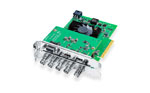







Product Highlights
- One HDMI 2.0 input
- Two reclocked 12G-SDI outputs
- Supports UHD and DCI 4K60
- USB-C powered, adapter not included


Blackmagic Design HDMI to SDI 12G Micro Converter - No Power Supply
- SKU:
- BMD-CONVCMIC/HS12G
- MPN:
- CONVCMIC/HS12G
Product Inquiry Form
Description
Product Overview
The Blackmagic Design Micro Converter HDMI to SDI 12G is a compact HDMI to 12G-SDI converter for connecting cameras, computers and other HDMI sources to professional SDI equipment. One HDMI 2.0 input feeds two reclocked 12G-SDI outputs, with support for Ultra HD and DCI 4K at up to 60 fps. It automatically detects supported input video standards and provides selectable 3G-SDI Level A or Level B outputs. This version ships without a power supply, so a compatible USB-C power source is required.
The Blackmagic Design Micro Converter HDMI to SDI 12G (CONVCMIC/HS12G) converts one HDMI 2.0 video input into two matching 12G-SDI outputs. It supports SD, HD, Ultra HD and DCI 4K video formats, SDI reclocking and configuration through a USB-C connection. The converter consumes a maximum of 4W and requires external USB power. Coremicro is an authorized Blackmagic Design dealer based in Union City, California. The product carries a 3-year limited manufacturer warranty.

Connect HDMI Sources to Professional 12G-SDI Equipment
A camera with HDMI output can be connected to an SDI switcher without replacing the camera. The Micro Converter takes a supported HDMI signal and outputs it through two BNC connectors. Both SDI outputs follow the detected HDMI input format, so they can feed a production switcher and a compatible monitor or recorder at the same time.
The converter supports 270Mb, 1.5G, 3G, 6G and 12G SDI rates. It does not scale the video or provide independent formats on its two outputs.

Configure 3G-SDI Output Through USB-C
Some SDI receivers expect Level A, while others require Level B. The Micro Converter lets you select the output mapping for 3G-SDI signals through Blackmagic's converter software on a Mac or Windows computer.
USB-C also handles firmware updates. Connect the converter to a computer when settings need to change, then use the same port for external power during production.

Reclocked SDI Outputs for Broadcast Cable Runs
Built-in SDI reclocking regenerates the output signal timing before transmission. This helps control jitter and maintain signal integrity on the SDI side of the connection.
It is useful when a camera sits away from the production switcher and an SDI cable is more practical than a long HDMI run. Maximum cable distance still depends on cable quality, the SDI rate and the receiving equipment.

Standard Definition
525i59.94 NTSC and 625i50 PAL
HD Video
720p50/59.94/60, 1080i50/59.94/60, and 1080p up to 60 fps
Ultra HD
3840 × 2160 progressive, including 23.98, 24, 25, 29.97, 30, 47.95, 48, 50, 59.94 and 60 fps
DCI 4K
4096 × 2160 progressive, including 23.98, 24, 25, 29.97, 30, 47.95, 48, 50, 59.94 and 60 fps

SDI Color
4:2:2 YUV
Standards Compliance
Includes SMPTE 2084 and SMPTE 2108-1 in the published SDI compliance list
HDR Processing
Dedicated HDR conversion or tone mapping is not specified. Contact Coremicro to confirm HDR workflow compatibility.
USB-C Power
Power the converter through USB-C with a compatible 5V source. Maximum consumption is 4W. This package does not include a power adapter.
Automatic Format Detection
Supported HDMI input standards are detected automatically. Both SDI outputs match the incoming format.
Level A and B Selection
Select the required 3G-SDI mapping through the Blackmagic converter utility when connecting equipment with different Level A or Level B requirements.
HDMI Camera to SDI Switcher
Connect an HDMI camera to the converter and route its SDI output to a compatible production switcher. The second output can feed a local monitor or recorder.
Computer Output to SDI Infrastructure
Send a supported HDMI video format from a presentation computer to an SDI router or monitor. Check output timing and disable HDCP where the source permits it.
SDI Runs Between Production Positions
Place the converter close to an HDMI source and use suitable SDI coaxial cable for the downstream connection. Test the complete run at the intended resolution and frame rate.
Broadcast Engineers
Integrate compatible HDMI sources into SDI production and monitoring systems.
Live Event Crews
Connect cameras and presentation sources to SDI switchers across production spaces.
Houses of Worship
Add HDMI cameras to an existing SDI-based video production setup.
AV Integrators
Provide fixed installations with compact HDMI-to-SDI conversion at source locations.
Blackmagic Design Manufacturer Warranty
The Micro Converter HDMI to SDI 12G includes a 3-year limited manufacturer warranty. Coremicro is an authorized Blackmagic Design dealer. Contact Coremicro for warranty assistance, product compatibility or power supply questions.
| Specification | Detail |
|---|---|
| Manufacturer | Blackmagic Design |
| Model | Micro Converter HDMI to SDI 12G |
| Manufacturer Part Number | CONVCMIC/HS12G |
| Converter Type | HDMI to SDI |
| HDMI Input | 1 × HDMI 2.0 Type A |
| SDI Outputs | 2 × 12G-SDI BNC |
| SDI Data Rates | 270Mb, 1.5G, 3G, 6G, 12G |
| Automatic Format Detection | SD, HD, 2K, Ultra HD and 4K detection listed by manufacturer |
| Output Matching | SDI outputs automatically match the HDMI input |
| 3G-SDI Mapping | User-selectable Level A or Level B |
| SD Video | 525i59.94 NTSC, 625i50 PAL |
| 720p | 50, 59.94, 60 fps |
| 1080i | 50, 59.94, 60 |
| 1080p | 23.98, 24, 25, 29.97, 30, 47.95, 48, 50, 59.94, 60 fps |
| Ultra HD | 2160p23.98/24/25/29.97/30/47.95/48/50/59.94/60 |
| DCI 4K | 4Kp23.98/24/25/29.97/30/47.95/48/50/59.94/60 |
| SDI Color Precision | 4:2:2 |
| SDI Color Space | YUV |
| SDI Reclocking | Yes |
| SDI Compliance | SMPTE 259M, 292M, 296M, 424M, 425M, 2081-1, 2081-10, 2082-1, 2082-10, 2084 and 2108-1 |
| Copy Protection | Cannot process copy-protected HDMI sources |
| Configuration | Blackmagic converter utility via USB |
| Power and Updates | USB Type-C |
| Operating Voltage | 4.4V to 5.25V DC |
| Power Consumption | 4W maximum |
| Operating Temperature | 0 to 40 degrees C |
| Storage Temperature | -20 to 60 degrees C |
| Relative Humidity | 0% to 90%, non-condensing |
| Included Item | Micro Converter HDMI to SDI 12G |
| Power Supply | Not included in this version |
| Warranty | 3-year limited manufacturer warranty |
Does the Blackmagic Micro Converter HDMI to SDI 12G include a power supply?
No. The CONVCMIC/HS12G version does not include a power supply. It requires a compatible external USB-C power source rated for the converter's 4W maximum consumption and 4.4V to 5.25V operating range.
Can the Micro Converter HDMI to SDI 12G output 4K at 60 fps?
Yes. It supports Ultra HD 2160p60 and DCI 4K60 through its 12G-SDI outputs when a supported HDMI input format is supplied.
Can both SDI outputs be used at the same time?
Yes. The converter has two 12G-SDI outputs that automatically match the HDMI input. It does not provide independent format conversion for each output.
Does the HDMI to SDI 12G converter support 3G-SDI Level A and Level B?
Yes. Level A and Level B output mapping can be selected for 3G-SDI through the Blackmagic converter software utility.
Will the converter work with HDCP-protected HDMI signals?
No. Blackmagic states that the HDMI input cannot process copy-protected sources. A compatible, unprotected HDMI signal is required.
What is the difference between HDMI to SDI 12G and BiDirectional SDI/HDMI 12G?
The Micro Converter HDMI to SDI 12G converts HDMI input to two SDI outputs. The BiDirectional SDI/HDMI 12G model supports both HDMI-to-SDI and SDI-to-HDMI conversion with additional input and output connections.
Is Coremicro an authorized Blackmagic Design dealer?
Yes. Coremicro is an authorized Blackmagic Design dealer based in Union City, California. This converter includes Blackmagic Design's 3-year limited manufacturer warranty.
Connect Your HDMI Source to a 12G-SDI Workflow
Coremicro is an authorized Blackmagic Design dealer. Need help checking SDI format compatibility or selecting the correct USB-C power source? Send us your equipment details before ordering.
Contact CoremicroSpecifications
Blackmagic Design HDMI to SDI 12G Micro Converter - No Power Supply Specifications
Reviews
What's included
Included on Blackmagic Design HDMI to SDI 12G Micro Converter - No Power Supply
| Product Specifications | |
|---|---|
Video Inputs |
|
Audio Inputs |
|
Video Outputs |
|
Audio Outputs |
|
Video Standards |
|
Product Specific Misc Product Specs
|
|
Processing |
|
Operating Systems |
Mac OS and Windows
|
| Power Specifications | |
Power I/O |
|
Connection Diagram |
 |
| Physical / Environmental Specifications | |
Dimension |
|
Environment |
|
Warranty |
|
UPC / GTIN |
9338716007060
|